



-
 Pick up from the Woodmart Store
-
 Courier delivery
-
 DHL Courier delivery
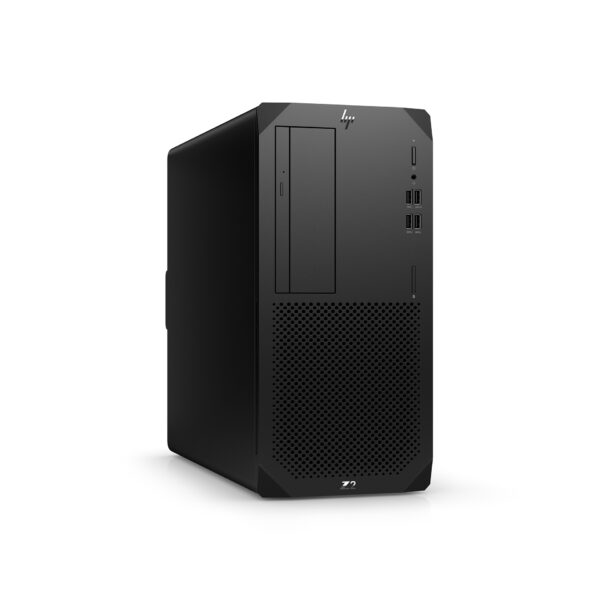
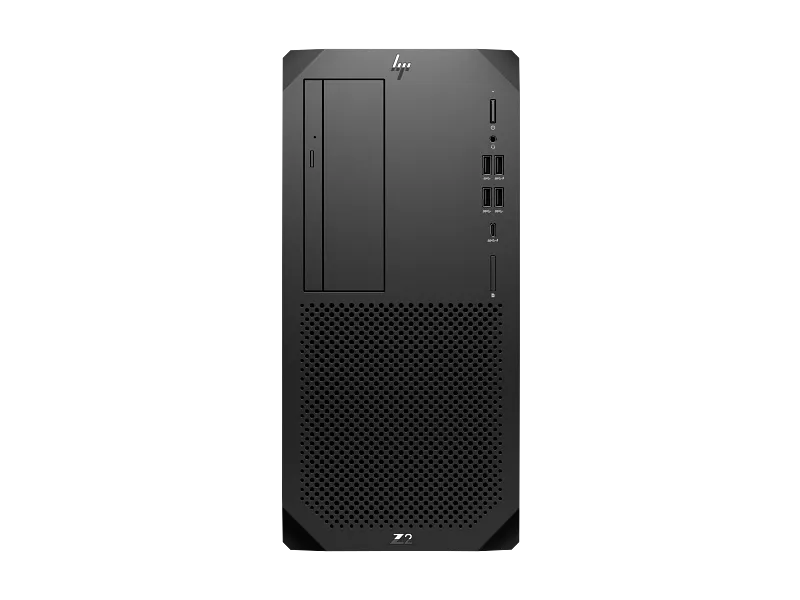
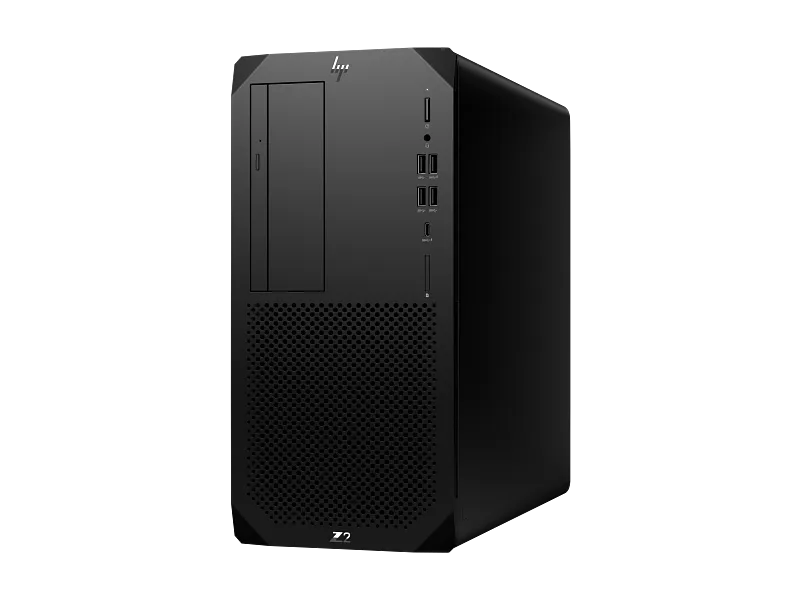
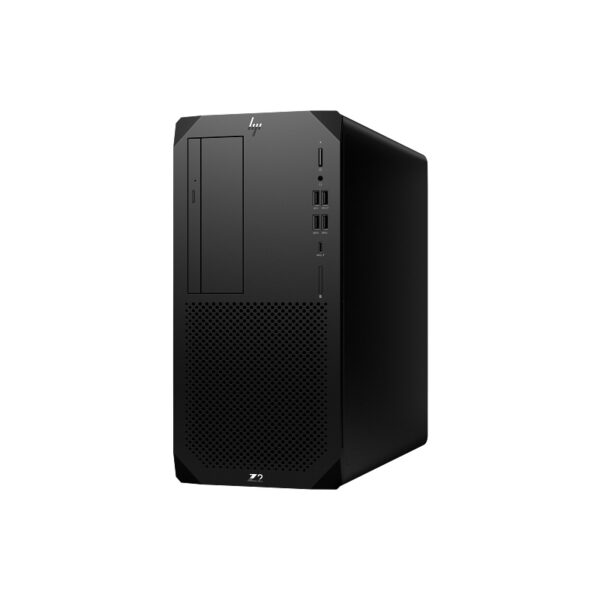
HP Z2 Tower G9 Workstation BF6W9PT
This HP Z2 Tower G9 Workstation with product code BF6W9PT is intended for professionals seeking a dependable desktop foundation. The listed processor, Intel Core i9-14900, supports business and creative workloads where responsive application behavior and predictable system management matter. The exact purchased configuration matters more than a generic series description, so this listing keeps part-number details separate from optional upgrades and custom add-ons. In a commercial listing, it is better to state only the components known to be supplied than to add attractive but unsupported claims. This approach helps buyers compare quotations fairly and lets procurement teams check each line against the actual inventory.
Processor and computing performance
The Intel Core i9-14900 processor is the central component of this workstation configuration. It is relevant to tasks such as large spreadsheets, application development, professional productivity and multi-application workflows. Actual performance varies with software optimization, cooling, memory capacity and workload. Customers should compare processor requirements against the applications they intend to run rather than selecting on model number alone. A complete bill of materials and software compatibility review remain the most reliable basis for a professional purchasing decision.
Memory configuration and multitasking
The listed memory is 16GB DDR5. RAM affects how comfortably a system can keep large documents, browser tabs and production software open together. Larger datasets, demanding creative projects and virtual machines may require additional memory. Upgrade decisions should account for the installed module arrangement, available DIMM slots and the supported memory type of this exact platform.
Storage and project files
This offer identifies 1TB SSD as its storage configuration. Storage capacity and drive technology influence file availability, application loading and transfer behavior. Projects involving substantial media libraries or CAD assets can benefit from thoughtful storage planning. Before proposing an upgrade, check the existing drive interfaces and actual shipped configuration rather than assuming every member of a workstation family is identical.
Workstation use in professional offices
A professional desktop can support financial teams, technical departments and creative groups through a stable workstation environment. For office use, reliability depends on a balanced configuration, current software and sound data-backup practices. This HP Z2 Tower G9 Workstation may suit desks that need multiple business applications, subject to the actual software requirements and any peripherals the user plans to connect.
Design and CAD workflows
Computer-aided design workloads vary widely. Two-dimensional drafting often emphasizes processor responsiveness, while complex 3D models and advanced visualization may demand a supported dedicated graphics card. The BF6W9PT configuration should be evaluated against the precise CAD package, its certified-driver requirements and project size. Do not assume a dedicated GPU is installed unless the part-number specification expressly identifies one.
Video editing and content creation
Video-production performance depends on source resolution, codec, available memory, scratch storage and any installed graphics hardware. A workstation such as this can be the base for editing and media-management tasks, but the recommended configuration varies with editing software. Confirm video codec and acceleration requirements before presenting it as suitable for intensive 4K or high-effects production.
Engineering and analysis applications
Engineering tools may emphasize processor performance, memory, storage throughput or specialized GPU compute. The correct balance depends on the software and simulation size. Professionals considering BF6W9PT should first review published application requirements and any certification guidance. Where a workflow needs extra graphics performance, confirm the specific expansion options, power supply and card dimensions.
Operating system and deployment
The identified operating-system configuration is Linux Ready. IT teams should check software licensing, image deployment, network policy and endpoint security before installation. Some reseller stock may differ from original manufacturer configurations. For customers requesting Windows, Linux or DOS, the installed operating system and license must be explicitly confirmed rather than inferred from the workstation series. In a commercial listing, it is better to state only the components known to be supplied than to add attractive but unsupported claims. This approach helps buyers compare quotations fairly and lets procurement teams check each line against the actual inventory.
Connectivity and peripherals
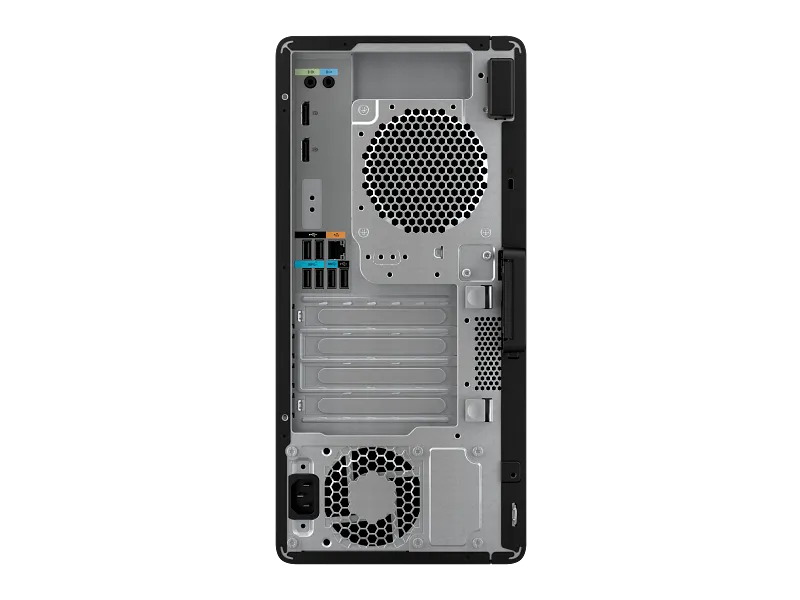
Workstation usefulness also depends on appropriate connections for monitors, networking and accessories. The number and type of USB, audio and video ports can vary across product generations and optional configurations. Customers should verify required monitor outputs, keyboard and mouse connections, storage devices and network connectivity against the actual rear and front port layout.
Graphics choices and compatibility
Integrated graphics may be adequate for general productivity and selected two-dimensional visual applications. Professional 3D design, GPU rendering and some scientific tools may require discrete graphics with specific driver support. When planning a GPU upgrade, examine the PCIe slot, physical clearance, cooling, power supply capacity and auxiliary power connectors of the individual machine.
Display and multi-monitor planning
A useful professional desktop setup depends on pairing the computer with suitable displays. Monitor resolution, color accuracy, refresh rate and connection standards affect daily usability. A designer may prioritize a calibrated monitor, while an analyst may prefer a larger multi-display workspace. Confirm that the configured graphics solution supports the desired number of monitors and outputs.
Cooling and sustained operation
Thermal design influences performance under long-running workloads. Workstations can be used for compile jobs, calculations and production tasks that place sustained demand on hardware. Maintain adequate ventilation around the cabinet and follow manufacturer cleaning guidance. Ambient conditions and installed expansion cards can alter cooling needs, so keep a reasonable margin when configuring intensive systems.
Expandability and future planning
Businesses may upgrade memory, storage or graphics as project requirements change. Upgradeability is platform-specific and should not be generalized from the presence of a tower enclosure alone. Consult the maintenance and service guide for compatible modules, maximum capacities and slot population rules. A planned configuration is more dependable than assuming all upgrades are interchangeable.
IT administration and lifecycle
IT departments often value consistent hardware identification and easy inventory management. The unique manufacturer code BF6W9PT should be recorded in procurement records and deployment documentation. Driver updates, operating-system support, recovery media and service registration deserve attention at rollout. Keeping hardware and software inventories current makes future maintenance and troubleshooting more efficient.
Data protection and backup strategy
A professional workstation should be part of a practical information-protection plan. Important creative projects, business databases and technical files need regular backups independent of the local drive. Encryption, access controls and versioned backups can reduce operational risk when implemented appropriately. The presence of high-performance hardware does not replace a formal backup and recovery process.
Professional applications and software checks
Software vendors publish requirements for processor generation, RAM, storage, GPU drivers and operating system. The appropriate decision is to match those requirements to the exact configuration and version being purchased. For specialist software, verify licensing and certification status directly with the application provider. This avoids implying software compatibility that has not been tested for a particular setup. In a commercial listing, it is better to state only the components known to be supplied than to add attractive but unsupported claims. This approach helps buyers compare quotations fairly and lets procurement teams check each line against the actual inventory.
Procurement and configuration clarity
This SKU is BF6W9PT, and the quantity shown in the provided stock sheet is 3. The stock quantity is a supplied business record, not a live availability guarantee. A quotation should specify processor, memory, storage type, operating system, included peripherals and service coverage. Any customized component should be clearly separated from the factory configuration.
Keyboard, mouse and accessories
Accessories can make a desktop ready for deployment, but inclusion varies by sales package. Confirm whether a keyboard, mouse, power cable and documentation are supplied with the exact unit. Where the quotation mentions a monitor or graphics upgrade, describe it as an optional or custom addition unless the manufacturer part number includes it. Clear packing details reduce installation-day misunderstandings.
Business installation considerations
Before installation, the customer should check desk space, suitable electrical supply, ventilation and compatible network infrastructure. Allow sufficient room for service access and connecting peripherals. If the workstation will run a specialized application, validate the necessary drivers and operating-system configuration before handover. A straightforward deployment checklist can prevent avoidable site issues.
Power requirements and upgrade safety
The power supply must support the installed processor, storage devices and any graphics card. Not every model in the same series ships with the same PSU. Before upgrading a GPU, verify the actual power-supply label, available connectors and manufacturer-approved options. Do not rely on wattage specifications taken from a different SKU or newer generation.
Reliability and service planning
Professional users need a practical maintenance and support plan. Service terms should be matched to the specific part number, serial number and local HP entitlement. Warranty duration shown on a seller quotation may not describe every service detail. Businesses should verify onsite coverage, response conditions and any optional care pack before communicating final support commitments.
Workstation suitability for small businesses
Smaller businesses can use a workstation to consolidate demanding desktop applications into a managed system. Accounting, design, documentation and development tools have very different requirements. The HP Z2 Tower G9 Workstation should be configured according to the heaviest expected workload rather than only routine office tasks. This helps avoid unnecessary upgrades while protecting performance where it matters.
Productivity and everyday responsiveness
Everyday experience reflects processor capability, memory headroom, drive performance, software and the number of active tasks. The listed Intel Core i9-14900 is a useful starting point, but it should be evaluated in the context of the entire configuration. Good operating-system maintenance, current drivers and adequate storage space also contribute to consistent desktop responsiveness.
Technical documentation and drivers
Official manuals and support resources are preferable to copied specifications from unrelated product revisions. Refer to the manufacturer product page and the relevant HP support resources for service information, driver availability and validated components. The exact SKU is BF6W9PT. Keeping this identifier in the WooCommerce product title and metadata helps customers distinguish similar-looking workstation offers. In a commercial listing, it is better to state only the components known to be supplied than to add attractive but unsupported claims. This approach helps buyers compare quotations fairly and lets procurement teams check each line against the actual inventory.
Network integration and security
Company workstations may need domain enrollment, policy management, endpoint protection and controlled access to project files. These measures are normally configured by the organization rather than guaranteed simply by the workstation model. Plan network setup, approved operating-system images and user permissions as part of deployment. Correct configuration is essential for environments handling business-sensitive information.
Desktop form factor and workspace planning
A tower workstation provides a familiar installation format with space for compatible components, but case dimensions and internal layouts differ among HP generations. Review the published size and available physical clearance before choosing desk placement. Users working in studios or workshops should also consider dust, airflow and access to ports when arranging the workstation.
Value of exact model identification
HP workstation naming can look similar across generations. Codes such as BF6W9PT identify specific products, while names like Z1 or Z2 describe wider families. For accurate SEO and customer quotations, retain the exact manufacturer part number. Avoid copying memory speed, graphics capability or warranty terms from a different revision merely because the family name matches.
Recommended purchase validation
Before publishing or dispatching, match the physical unit and box label to the documented part number. Confirm the processor, RAM, drive type, installed OS, optical drive and supplied accessories. Verify warranty entitlement with the serial number if necessary. This final check matters when stock lists use shorthand such as SSD, DOS or KBM and may be updated independently of manufacturer data.
Manufacturer information and genuine product details
HP is the manufacturer of the HP Z2 Tower G9 Workstation. The correct part number for this listing is BF6W9PT. Genuine HP product identification should be taken from the packaging, serial number and manufacturer documentation. For accurate technical claims, prefer part-number-specific material. If a seller modifies memory or storage after purchase, clearly explain that it is a custom configuration rather than an original factory specification.
Choosing the right configuration
A workstation purchase is best assessed around actual software requirements, available RAM, storage needs, graphics compatibility and expected service life. Professionals should compare the HP Z2 Tower G9 Workstation with their approved application list before ordering. Consider planned upgrades and monitor connections, but do not advertise hypothetical upgrades as installed components. The final quotation should make the supplied configuration unambiguous.
Aadinath peripherals and consumables
Aadinath Peripherals & Consumables supplies IT hardware and professional desktop solutions in Mumbai. Customers can enquire about this HP workstation model, compatible monitors, memory, storage and suitable peripherals. Stock quantities and quotations should be confirmed directly before ordering. For an accurate proposal, provide the intended applications and any special graphics, operating-system or connectivity requirements.
Final buying guidance
The HP Z2 Tower G9 Workstation (BF6W9PT) is a model-specific desktop option to assess for professional and business applications. Its listed processor is Intel Core i9-14900, with 16GB DDR5 and 1TB SSD in the offer. Successful deployment depends on matching the actual supplied configuration with required software and service expectations. Check manufacturer details and the precise invoice configuration before purchase. In a commercial listing, it is better to state only the components known to be supplied than to add attractive but unsupported claims. This approach helps buyers compare quotations fairly and lets procurement teams check each line against the actual inventory.
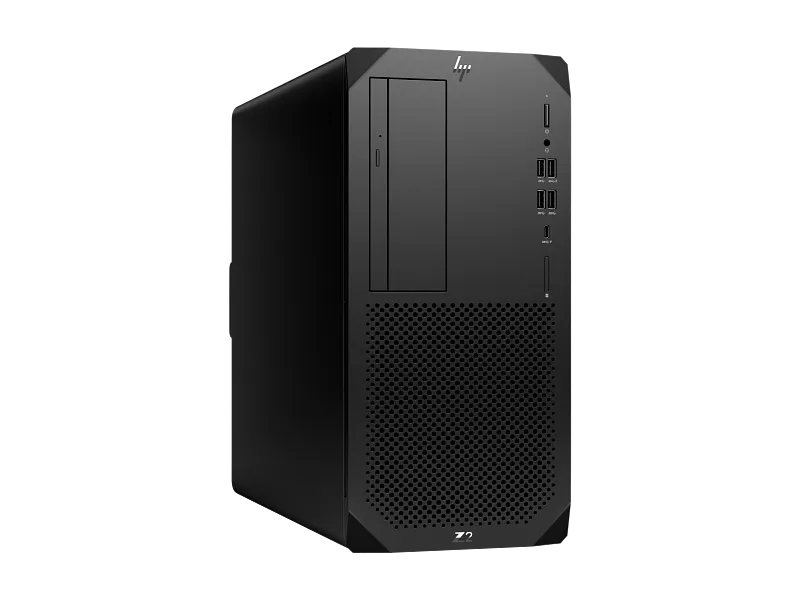
| Specification | Confirmed value |
|---|---|
| Processor | Intel Core i9-14900 (24 cores, 32 threads, up to 5.4 GHz) |
| Chipset | Intel W680 |
| Integrated graphics | Intel UHD Graphics 770 |
| Memory | 16 GB DDR5 (seller and part-number listing) |
| Storage | 1 TB SSD (seller and part-number listing) |
| Form factor | Tower |
| Power supply | 700 W, 92% efficiency, active PFC |
| Dimensions | 35.6 × 16.9 × 38.5 cm |
| Keyboard | HP 125 Wired Keyboard |
| Optical drive | Slim DVD-Writer |
| Warranty | 3 years |
Relevant Links
| Weight | 10 kg |
|---|---|
| Brand | HP |
| Model | BF6W9PT |
You may also like

Reviews
There are no reviews yet.