


-
 Pick up from the Woodmart Store
-
 Courier delivery
-
 DHL Courier delivery
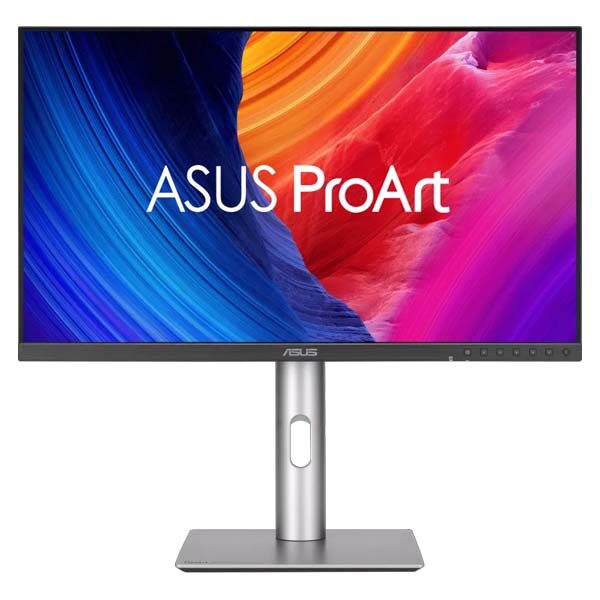
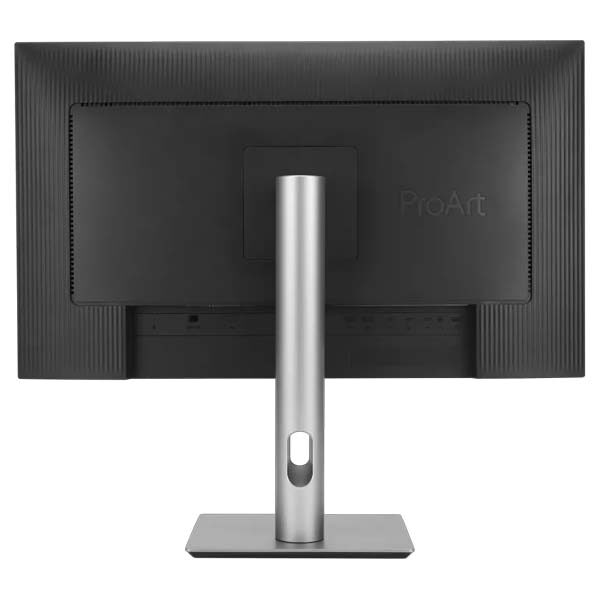
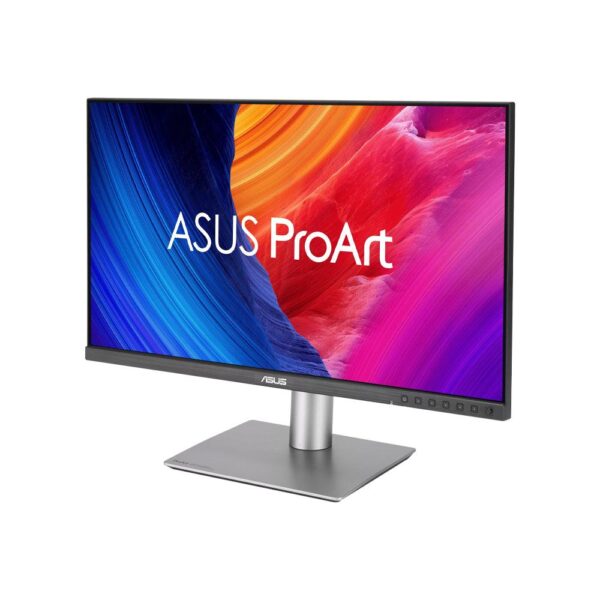
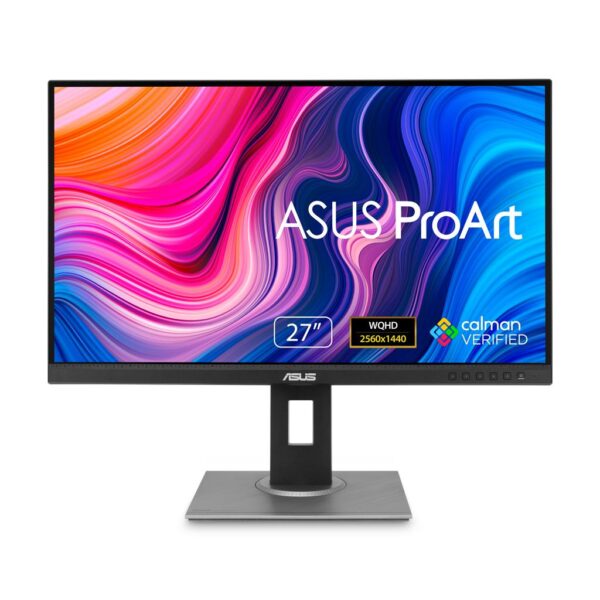
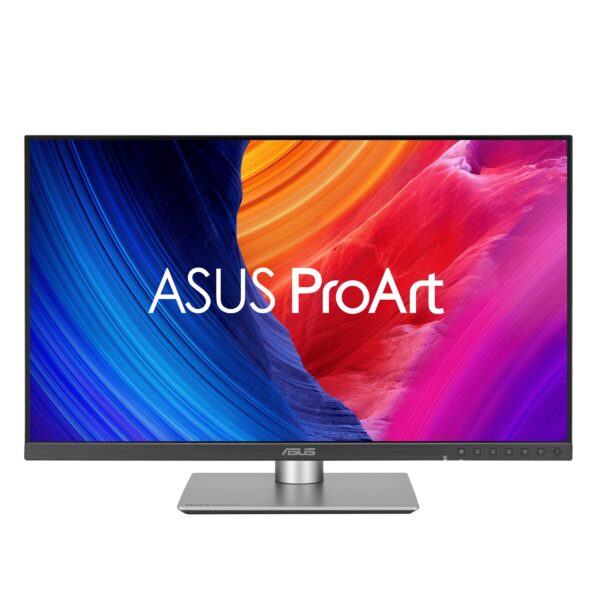
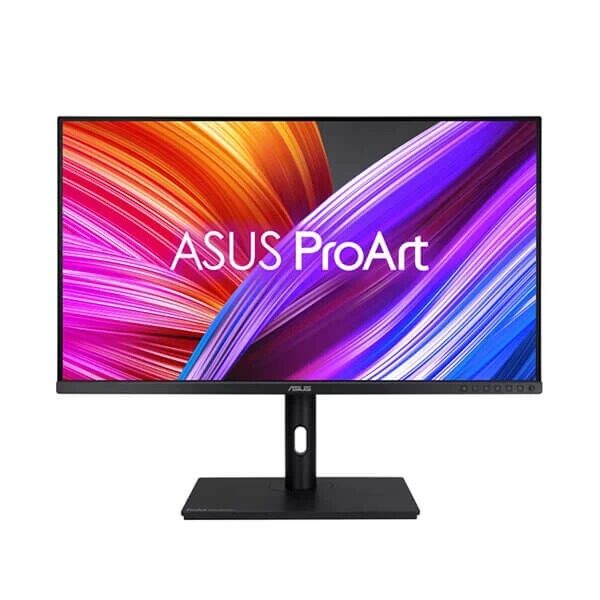
ASUS ProArt PA32QCV 32 Inch 6K Monitor – Ultimate Color Accuracy and Professional Creative Performance
The ASUS ProArt PA32QCV 6K Monitor is a premium professional display designed for photographers, video editors, graphic designers, digital artists, content creators, and professionals who require exceptional image clarity and dependable color reproduction. Featuring an impressive 31.5-inch 6K IPS display, this advanced ASUS ProArt monitor combines ultra-high resolution, factory-calibrated color accuracy, innovative anti-glare technology, and versatile Thunderbolt connectivity to create a powerful workspace for demanding creative applications.
Designed around a stunning 6016 × 3384 resolution, the ASUS ProArt Display 6K PA32QCV provides exceptional pixel density and an expansive digital canvas. Its advanced display technology allows creative professionals to examine fine image details, work with complex editing timelines, and maintain precise visual control over their projects.
With 98% DCI-P3 and 100% sRGB color coverage, the monitor is particularly suitable for workflows in which accurate colors and consistent visual presentation are important. Calman Verified factory calibration and Delta E below 2 color accuracy provide a strong foundation for professional photography, graphic design, and video production.
The ASUS ProArt PA32QCV also incorporates LuxPixel anti-glare, low-reflection technology, helping reduce distracting reflections without sacrificing the clarity required for detailed creative work.
Dual Thunderbolt 4 connectivity, up to 96W Power Delivery, an integrated Auto KVM switch, and comprehensive ergonomic adjustments make the monitor a versatile choice for modern creative studios and professional workstations.
Whether you are editing high-resolution photographs, developing digital artwork, producing commercial video content, or building a Mac-based creative workspace, the ASUS ProArt PA32QCV offers a sophisticated combination of display performance and practical productivity features.
ASUS ProArt PA32QCV 6K Monitor – Exceptional Visual Detail
The ASUS ProArt PA32QCV 6K Monitor delivers exceptional visual clarity through its high-resolution IPS panel.
Professional creative applications often involve detailed visual elements that can be difficult to evaluate on lower-resolution displays. Photographers need to inspect image sharpness, designers require precise control over small interface elements, and video editors frequently work with detailed high-resolution footage.
The PA32QCV addresses these requirements through its ultra-dense pixel arrangement.
With approximately 218 pixels per inch, the display provides sharp text, precise image rendering, and detailed visual presentation when used with appropriate operating-system scaling.
This high pixel density is particularly beneficial for applications involving photographs, detailed illustrations, technical drawings, and complex editing interfaces.
The 31.5-inch screen also provides considerable space for professional software panels, toolbars, timelines, and reference material.
Compared with a conventional 4K monitor, the PA32QCV provides substantially more total pixels.
The additional display area allows professionals to organize demanding projects with greater flexibility.
For users who regularly work with high-resolution media, a 6K display can reduce the need to zoom or pan constantly when examining detailed content.
The result is a professional viewing environment designed around visual precision and workspace efficiency.
Stunning 6K Resolution for Professional Content Creation
One of the defining characteristics of the ASUS ProArt Display 6K PA32QCV is its 6016 × 3384 native resolution.
A high-resolution display can provide significant advantages when working with professional images and digital media.
Photographers often need to examine subtle details in textures, lighting, and image composition. Video editors may need to inspect high-resolution footage while retaining space for editing controls.
Graphic designers frequently work with intricate layouts, typography, icons, and detailed visual elements.
The ASUS PA32QCV provides a large digital canvas that accommodates these activities.
Its high pixel density helps make small interface details easier to distinguish when configured with suitable display scaling.
The resolution also makes the monitor attractive for professionals who prefer working across multiple application windows.
Users can arrange image previews, editing panels, reference documents, and communication tools within the same workspace.
The monitor’s 16:9 aspect ratio offers broad compatibility with established creative applications and video formats.
Although 6K resolution provides additional screen detail, the connected computer must support the required display output and bandwidth.
For demanding workflows, pairing the monitor with an appropriately configured workstation helps deliver the best experience.
Professional Color Accuracy with Calman Verification
Color accuracy is one of the most important considerations when selecting a professional creative monitor.
The ASUS ProArt PA32QCV 6K Monitor is factory-calibrated and Calman Verified to provide dependable color performance.
Professional photographers, designers, and video editors often need confidence that the colors displayed on their monitors closely match the intended digital values.
Inaccurate color reproduction can lead to inconsistent image editing decisions, incorrect color adjustments, or unwanted differences between production stages.
ASUS addresses this requirement through factory calibration and defined color accuracy standards.
The PA32QCV is specified to achieve Delta E below 2, indicating a high level of color accuracy under the manufacturer’s testing conditions.
This makes the monitor suitable for color-sensitive workflows involving photography, design, video production, and digital content development.
The included color calibration report provides information about factory calibration.
For professionals who maintain carefully controlled color workflows, periodic calibration and suitable lighting conditions remain important.
Color accuracy can also be influenced by selected color presets, software color management, connected devices, and the working environment.
Calman Verification provides a valuable foundation for users seeking a professionally calibrated display.
98% DCI-P3 and 100% sRGB Wide Color Gamut
The ASUS ProArt PA32QCV supports wide color-gamut reproduction, making it suitable for professional creative applications.
Color gamut describes the range of colors a display can reproduce.
Different creative workflows use different color spaces depending on the intended output.
The sRGB color space is widely used for websites, digital graphics, online photographs, and general multimedia content.
DCI-P3 provides a wider color range and is commonly associated with professional video and modern wide-gamut workflows.
The PA32QCV offers 100% sRGB and 98% DCI-P3 coverage according to ASUS.
This combination is particularly useful for professionals who work across different content types.
A photographer may edit images intended for websites and digital portfolios.
A video editor may produce wide-gamut content for compatible displays and media platforms.
A graphic designer may need to review visual assets prepared for several digital environments.
The monitor’s broad color coverage supports these varied requirements.
Its 10-bit color capability also allows the display to present a wide range of color gradations.
Actual end-to-end color precision depends on the graphics hardware, operating system, software, and signal configuration.
ASUS LuxPixel Technology – Clearer Images with Reduced Reflections
The ASUS ProArt Display 6K PA32QCV incorporates LuxPixel anti-glare, low-reflection screen technology.
Reflections can become distracting when using a computer in a bright studio, office, or workspace near windows.
Glossy displays may reflect overhead lighting and nearby objects, making visual content more difficult to evaluate.
Traditional matte coatings can reduce reflections but may introduce visible softness or grain.
ASUS LuxPixel technology is designed to minimize reflections while preserving the sharpness required for professional creative work.
This makes the monitor suitable for environments where lighting conditions cannot always be controlled perfectly.
Photographers can review detailed images with fewer distracting reflections.
Designers can concentrate on typography, layouts, and color adjustments.
Video editors can examine footage while minimizing interruptions from surrounding light sources.
The coating also provides a more subdued, paper-like viewing effect.
Individual preferences for matte and glossy displays vary, and the best choice depends on the working environment.
For users who prioritize reflection control and high-resolution clarity, LuxPixel provides a practical display feature.
VESA DisplayHDR 600 for High-Dynamic-Range Content
The ASUS ProArt PA32QCV supports HDR10 and carries VESA DisplayHDR 600 certification.
High-dynamic-range technology is designed to provide a wider range of brightness and improved visual detail in compatible content.
HDR can help reveal differences between brighter highlights and darker image regions.
For creative professionals, HDR support can be useful when previewing compatible visual media and examining certain lighting effects.
The PA32QCV provides specified peak HDR brightness of 600 nits and a typical brightness of 400 nits.
These capabilities help support a bright and detailed viewing experience.
The display can be used to preview supported HDR media while maintaining the resolution and color features associated with the ProArt series.
However, HDR performance depends on more than certification alone.
Contrast behavior, backlight design, content mastering, and the surrounding environment influence perceived HDR quality.
The PA32QCV should therefore be considered a professional IPS creative monitor with HDR support rather than a dedicated reference-grade HDR mastering display.
For users producing demanding HDR deliverables, specialized mastering requirements should be evaluated separately.
ASUS Light Sync – Intelligent Display Consistency
Professional color work benefits from predictable monitor behavior.
The ASUS ProArt PA32QCV incorporates ASUS Light Sync technology, which uses an ambient light sensor and a backlight sensor.
These sensors help the monitor respond to environmental lighting and internal backlight conditions.
The ambient light sensor detects changes in surrounding illumination.
It can automatically adjust display brightness and color temperature according to the environment.
This helps users maintain a comfortable and practical viewing experience as workplace lighting changes.
The backlight sensor monitors backlight behavior and helps compensate for certain variations when the monitor starts operating.
ASUS designed these features to support more consistent visual performance.
For photographers, designers, and editors, consistency can reduce the need for frequent manual display adjustments.
Automatic adjustments may be useful during everyday creative work.
However, color-critical production workflows sometimes require fixed display brightness and carefully controlled ambient lighting.
Users performing formal color evaluation should configure the monitor according to their calibration targets and production requirements.
ASUS ProArt PA32QCV 6K Monitor for Professional Photography
The ASUS ProArt PA32QCV is particularly attractive for photographers who regularly work with high-resolution images.
Modern cameras produce detailed photographs containing subtle textures, complex lighting, and extensive tonal information.
Professional editing often involves careful adjustments to exposure, white balance, contrast, sharpness, and color.
A high-density display can help photographers inspect these details more accurately.
The monitor’s 6K resolution provides a detailed canvas for reviewing photographs.
Wide color-gamut support helps display vibrant colors when software and image profiles are configured appropriately.
Factory calibration provides a useful starting point for consistent image adjustments.
The large screen is also valuable for photographers working with image libraries, editing panels, and reference material.
A photographer can keep a substantial image preview visible while using editing controls.
The LuxPixel coating helps reduce unwanted reflections in bright studios.
For image professionals preparing photographs for websites, digital publishing, commercial advertising, and portfolios, the PA32QCV offers a versatile color-focused workspace.
High-Resolution Video Editing and Post-Production
Video editors often require a monitor that provides both accurate image reproduction and sufficient room for complex editing applications.
The ASUS ProArt Display 6K PA32QCV is designed to support these requirements.
Modern video production software includes timelines, preview windows, color adjustment tools, audio tracks, effects panels, and media libraries.
Working with these elements can become restrictive on smaller or lower-resolution displays.
The PA32QCV provides additional screen area that can be used to arrange editing tools more efficiently.
Its high pixel density also helps editors review detailed footage.
Wide-gamut color capabilities are useful when working with supported color-managed video applications.
HDR10 support offers additional flexibility for viewing compatible content.
The monitor’s 60Hz refresh rate is appropriate for many editing workflows, although users working with specialized high-frame-rate applications should review their particular requirements.
For color-sensitive video delivery, correct software configuration and color management remain essential.
The PA32QCV provides a strong editing workspace, while specialized reference monitoring may still be required for strict broadcast or cinema mastering.
Graphic Design, Illustration, and Digital Artwork
Graphic designers and digital artists frequently work with complex visual compositions involving typography, illustrations, layered images, and multiple design elements.
The ASUS ProArt PA32QCV supports these workflows through its large, high-resolution display.
Fine typography, small interface controls, and detailed illustrations benefit from high pixel density.
The spacious screen allows designers to maintain useful visibility of creative tools and project artwork.
Color-gamut coverage is particularly valuable when producing digital assets for different platforms.
For example, a designer may create website graphics, product advertisements, social media content, digital presentations, and promotional illustrations.
These projects can require consistent color choices across different applications and devices.
The monitor’s color presets provide flexibility for working with different visual standards.
Its factory-calibrated display also offers an appropriate starting point for accurate digital design work.
For creative professionals producing commercial visual content, the PA32QCV combines high-resolution detail with a color-focused feature set.
Ideal 6K Monitor for MacBook and Mac Workstations
The ASUS ProArt PA32QCV is designed with several features that make it attractive for compatible Mac-based workflows.
Creative professionals frequently use MacBook laptops and Mac desktop computers for photography, design, animation, and video editing.
An external monitor can expand the available workspace and provide a larger surface for detailed creative applications.
The PA32QCV includes an M Model-P3 color preset intended to provide a closer color experience when working alongside compatible MacBook displays.
This can be useful for professionals who regularly move between their laptop screen and external monitor.
The monitor also supports ASUS DisplayWidget Center for macOS.
With the appropriate software and configuration, users can manage selected display settings through their computer.
Thunderbolt 4 connectivity provides another practical advantage for compatible Mac systems.
A single supported cable can carry the display signal, data, and laptop power.
Compatibility and available resolutions depend on the Mac model, operating system, graphics capabilities, and connection.
Users should verify that their specific Mac supports the PA32QCV’s native 6K resolution.
Dual Thunderbolt 4 – Powerful Single-Cable Connectivity
The ASUS ProArt PA32QCV features dual Thunderbolt 4 connectivity, providing versatile connections for modern professional laptops and desktops.
Thunderbolt technology combines high-speed data transfer and display connectivity through a compact connection.
This can simplify workstation setups by reducing the number of separate cables required.
For compatible laptops, a Thunderbolt connection can carry display information, USB data, and charging power.
Professionals who frequently connect and disconnect their laptops may find this especially convenient.
A photographer arriving at a studio can connect a laptop to the monitor without separately attaching multiple accessories.
A designer may use the same connection to access an external display and devices connected through the monitor’s USB hub.
The PA32QCV also supports compatible Thunderbolt daisy-chaining arrangements.
This can provide additional flexibility when connecting supported displays and devices.
The exact capabilities depend on the computer and operating system, and some Mac systems have specific daisy-chaining limitations.
Thunderbolt 4 gives the monitor a strong foundation for modern professional connectivity.
Up to 96W Power Delivery for Compatible Laptops
The ASUS ProArt PA32QCV supports up to 96 watts of USB-C Power Delivery through its Thunderbolt connection.
Laptop charging can be an important consideration for users who operate professional notebooks at their desks.
Traditional setups may require a separate charger alongside the display cable and peripheral connections.
With a compatible laptop, the PA32QCV can supply charging power while carrying display and data signals.
This helps create a cleaner workstation and reduces cable clutter.
The feature is particularly useful for compatible MacBook models, Windows laptops, and professional portable workstations.
Users may be able to connect their laptop using a single appropriate cable and immediately access their external display.
Charging performance depends on the laptop’s power requirements and USB-C or Thunderbolt support.
Some high-performance laptops may require more power than the monitor can provide under demanding workloads.
For those systems, a separate charger may remain necessary.
The 96W Power Delivery capability is best viewed as a convenient charging solution for compatible devices.
Built-in Auto KVM – Control Two Computers Efficiently
One of the most useful productivity features of the ASUS ProArt PA32QCV is its integrated Auto KVM functionality.
KVM stands for Keyboard, Video, and Mouse.
A KVM system allows users to manage more than one computer through shared input devices.
This is particularly useful for professionals who operate multiple computers during their workday.
For example, a designer may use a powerful desktop workstation for rendering and a laptop for communication or mobile projects.
Without a KVM system, switching between these computers may require separate keyboards and mice.
The PA32QCV’s Auto KVM feature is designed to simplify this arrangement.
Users can switch between compatible connected computers while sharing supported USB peripherals.
This helps reduce desk clutter and makes it easier to move between workflows.
The exact connection arrangement should follow ASUS instructions, including the appropriate USB upstream connections.
For studios, offices, and home workstations where multiple computers are common, Auto KVM can provide significant convenience.
Picture-in-Picture and Picture-by-Picture Productivity
The ASUS ProArt PA32QCV includes Picture-in-Picture and Picture-by-Picture functionality.
These display modes allow users to work with visual content from multiple connected sources.
Picture-in-Picture can present a secondary source within a smaller window on the display.
Picture-by-Picture allows supported inputs to be displayed alongside one another.
These features can be useful for professionals who need to compare content, review information from separate computers, or monitor different workflows.
A designer may want to examine content from a MacBook and a Windows workstation.
An editor may need to compare separate media sources or refer to information from another computer.
A technical professional may use different systems for testing and productivity.
The large 6K screen provides a useful canvas for organizing these viewing arrangements.
Supported modes, available resolutions, and input combinations depend on the display settings and connected devices.
ASUS DisplayWidget Center – Convenient Monitor Controls
The ASUS ProArt PA32QCV supports ASUS DisplayWidget Center, which provides software-based access to selected monitor settings.
Traditional monitor adjustments often require navigating menus using physical buttons.
DisplayWidget Center offers an alternative interface through a compatible computer.
Users can manage settings such as brightness, contrast, and selected image parameters.
This can make routine display adjustments more convenient.
The software is particularly useful for professionals who frequently change between creative tasks.
A photographer may prefer one display configuration for image editing.
A designer working on general digital graphics may use another.
A professional preparing documents or presentations may choose settings suited to productivity.
ASUS DisplayWidget Center is available for supported Windows and macOS environments.
The exact software features depend on the operating system and application version.
For users who value convenience, software-based monitor controls are an important part of the PA32QCV’s professional feature set.
ProArt Preset – Optimized Color Modes for Creative Work
Different creative applications often require different display color settings.
The ASUS ProArt PA32QCV includes ProArt Preset modes designed to support a variety of professional workflows.
Available presets cover color spaces and usage scenarios such as sRGB, Rec.709, P3, Adobe RGB, BT.2020, HDR, and other supported viewing modes.
These settings allow users to select a display configuration appropriate for their current task.
For example, sRGB can be useful for everyday digital graphics.
Rec.709 is widely used in conventional video production.
P3-related modes are relevant to supported wide-gamut visual workflows.
The monitor also provides user-adjustable modes for additional flexibility.
Selecting the correct preset helps align monitor behavior with the intended content.
However, selecting a preset does not automatically guarantee complete color-management accuracy for every application.
Professionals should still consider source color profiles, operating-system settings, calibration, and output requirements.
ProArt Preset provides an accessible foundation for managing different creative environments.
ProArt Palette – Fine-Tune Display Appearance
The ASUS ProArt PA32QCV includes ProArt Palette functionality for additional display customization.
Creative professionals often have specific preferences for color temperature, gamma, and other visual parameters.
ProArt Palette provides controls designed to support these requirements.
Users can adjust supported display settings according to the needs of their workflow.
This is useful when working with different lighting conditions or following a defined color-management process.
For example, a photographer editing in a controlled studio may prefer consistent display brightness and white point settings.
A designer preparing content for digital displays may select a specific color preset and gamma configuration.
The PA32QCV offers flexibility for these adjustments.
Careful configuration helps users create a predictable display environment.
Professionals performing color-critical work should use appropriate calibration tools and validated workflow settings when required.
ASUS QuickFit Plus for Layout and Design Work
ASUS QuickFit Plus provides useful on-screen tools for supported layout and design tasks.
Graphic designers, photographers, and creative professionals often need to compare dimensions, align objects, and review visual composition.
QuickFit Plus offers display overlays and tools intended to simplify certain layout-related operations.
These features can provide additional convenience when checking design arrangements.
For users working on presentations, visual layouts, and document-based graphics, on-screen reference tools can be helpful.
The functionality complements the monitor’s high-resolution display and professional image settings.
Availability of individual tools depends on the monitor’s supported QuickFit Plus features.
Ergonomic Stand for Comfortable Creative Work
Professional creative work often involves spending long periods in front of a monitor.
The ASUS ProArt PA32QCV includes an ergonomic stand designed to support comfortable viewing.
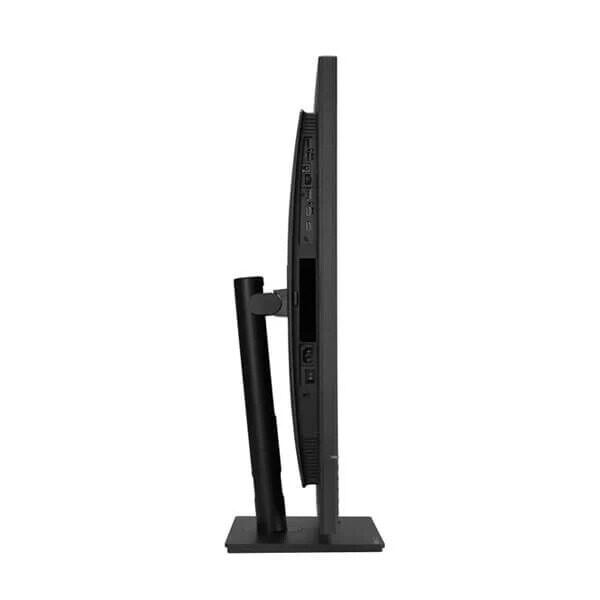
The stand offers height, tilt, swivel, and pivot adjustments.
These controls help users position the screen according to desk height, seating arrangement, and individual viewing preferences.
Height adjustment can help align the display with the user’s preferred eye level.
Tilt and swivel adjustments provide flexibility when changing posture or sharing the screen with another person.
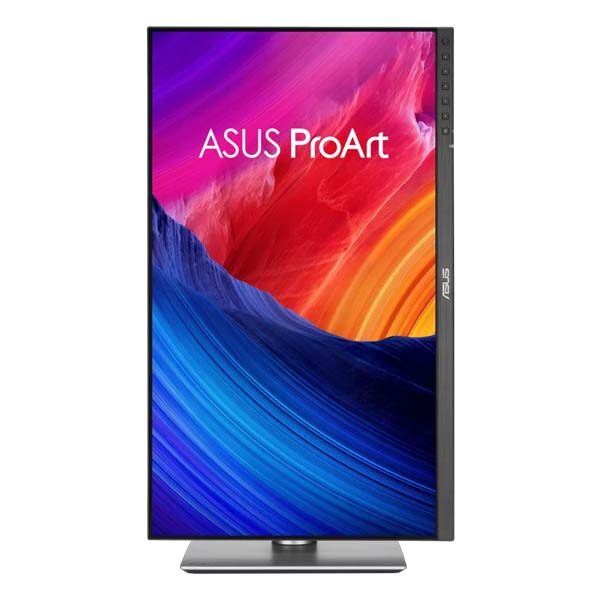
Pivot support allows the monitor to rotate into portrait orientation.
Portrait mode can be useful for long documents, website layouts, coding, vertical artwork, and certain types of digital publishing.
The monitor also supports compatible VESA mounting solutions.
Users who prefer an adjustable monitor arm can evaluate suitable mounting hardware.
A properly arranged workstation can help improve comfort during extended creative sessions.
Eye Care Technology for Extended Work Sessions
The ASUS ProArt PA32QCV includes TÜV-certified low blue light and flicker-free technologies.
Professionals working with photographs, videos, and digital artwork often spend many hours viewing detailed content.
Display comfort is therefore an important consideration.
Low blue light settings can help reduce certain blue-light emissions according to the selected operating mode.
Flicker-free technology is designed to reduce display flicker associated with certain backlight control methods.
These features are intended to support a more comfortable viewing experience.
However, eye comfort also depends on screen brightness, room lighting, viewing distance, posture, and regular breaks.
Color-critical professionals should be aware that some low blue light modes may change color appearance.
For accurate editing, users should select the appropriate calibrated color mode rather than relying on a comfort-oriented preset.
The PA32QCV combines eye-care features with its professional color tools, allowing users to configure the display for different tasks.
Clean Design for Modern Creative Workstations
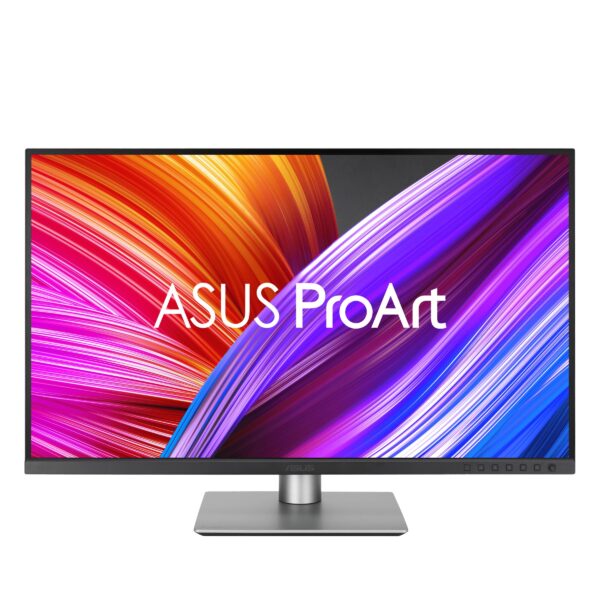
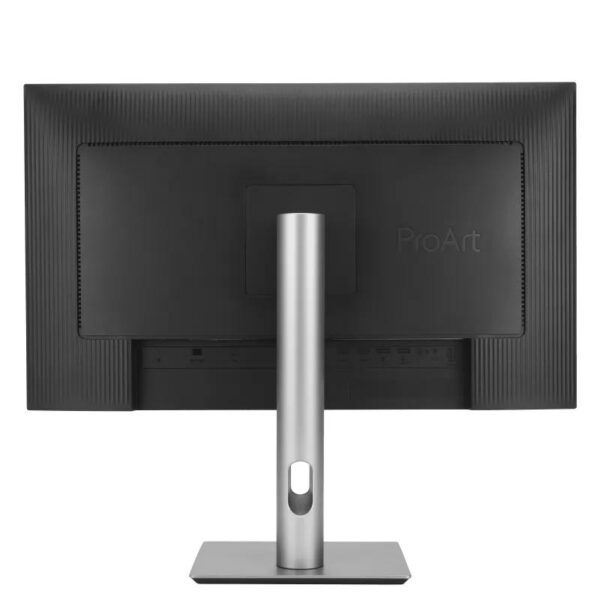
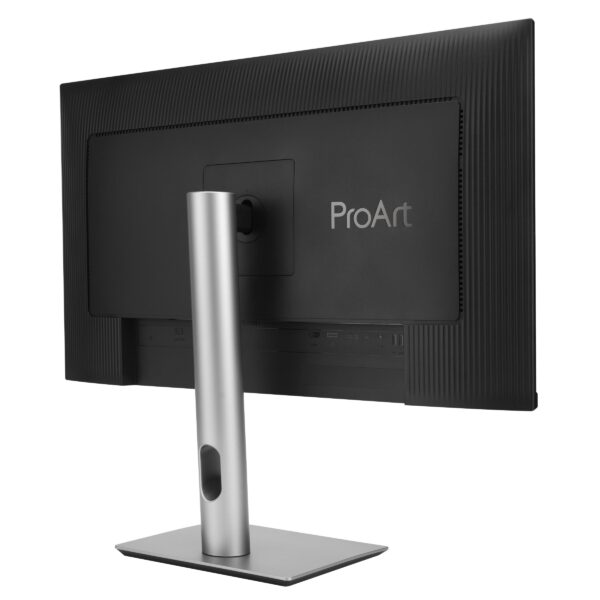
The ASUS ProArt PA32QCV features a refined appearance intended to complement professional desktop environments.
The monitor combines a slim display profile with a compact stand.
This design helps preserve desk space while providing a large working area.
A clean workstation can be particularly valuable in photography studios, editing suites, design offices, and home workspaces.
The monitor’s understated styling avoids unnecessary visual distractions.
Its professional appearance also complements modern Mac and Windows workstations.
The relatively compact base helps users organize keyboards, pointing devices, reference materials, and other accessories more efficiently.
For professionals who value both performance and workplace presentation, the PA32QCV offers a balanced design.
Energy Efficiency and Sustainability
ASUS incorporates sustainability-related design features into the ProArt PA32QCV.
The monitor meets several recognized environmental and energy-efficiency certification requirements.
ASUS also highlights environmentally conscious packaging materials and reduced packaging volume.
These efforts are intended to lower certain environmental impacts associated with production, transportation, and disposal.
The monitor includes power-saving features and supports complete power shutdown using its hard power switch.
For organizations purchasing professional displays, energy efficiency and environmental certifications can form part of responsible procurement decisions.
Individual certification availability may vary by market.
Businesses should review the relevant documentation when specific sustainability requirements apply.
The PA32QCV combines professional functionality with ASUS’s broader environmental design initiatives.
Why Choose the ASUS ProArt PA32QCV 6K Professional Monitor?
The ASUS ProArt PA32QCV 6K Monitor brings together several important features for demanding creative workflows.
Its 31.5-inch 6K IPS display offers excellent image detail and a spacious working environment.
Factory calibration and Calman Verification provide a dependable starting point for color-sensitive production.
Wide DCI-P3 and sRGB coverage support photography, digital design, and video workflows.
LuxPixel technology helps minimize reflections, while ASUS Light Sync supports more consistent display behavior.
Dual Thunderbolt 4 ports, 96W Power Delivery, and Auto KVM provide useful workstation connectivity.
Mac-focused settings and ASUS DisplayWidget Center add convenience for compatible Apple computers.
The ergonomic stand and eye-care features contribute to practical everyday usability.
The PA32QCV is particularly suitable for professionals who prioritize visual detail, color accuracy, and productivity over high-refresh-rate gaming performance.
For photographers, editors, designers, and creative studios, it offers a comprehensive professional display feature set.
Buy ASUS ProArt Display 6K PA32QCV in India
If you are searching for a premium professional monitor for photography, graphic design, video editing, digital artwork, or high-resolution creative productivity, the ASUS ProArt Display 6K PA32QCV is a compelling option.
Combining a 31.5-inch 6K IPS screen, exceptional pixel density, wide-gamut color reproduction, factory calibration, and Thunderbolt 4 connectivity, this ASUS monitor is designed for demanding visual work.
Its Auto KVM functionality, convenient laptop charging, professional color presets, and ergonomic adjustments make it suitable for modern creative studios and workstations.
At Aadinath Peripherals & Consumables, Mumbai, customers can enquire about ASUS ProArt professional monitors, high-resolution displays, workstations, graphics cards, and compatible computer accessories.
For complete manufacturer information and verified features, visit the official ASUS ProArt Display 6K PA32QCV product page.
You can also review the ASUS ProArt PA32QCV technical specifications before choosing a suitable workstation setup.
Choose the ASUS ProArt PA32QCV 6K Monitor for outstanding visual detail, dependable professional color, flexible connectivity, and a sophisticated creative workspace.
Technical specifications:-
Display and image quality
| Specification | Details |
|---|---|
| Brand | ASUS |
| Series | ProArt |
| Model | PA32QCV |
| Product Type | Professional Monitor |
| Screen Size | 31.5 inches (viewable) |
| Resolution | 6016 × 3384 (6K) |
| Panel Type | IPS |
| Backlight Type | LED |
| Aspect Ratio | 16:9 |
| Pixel Density | 218 PPI |
| Pixel Pitch | 0.116 mm |
| Viewing Area | 697.19 × 392.17 mm |
| Viewing Angles | 178° Horizontal / 178° Vertical |
| Display Surface | LuxPixel AGLR |
| Color Depth | 10-bit |
| Display Colors | 1.07 billion |
| sRGB Coverage | 100% |
| DCI-P3 Coverage | 98% |
| Color Accuracy | Delta E < 2 |
| Factory Calibration | Yes |
| Calman Verified | Yes |
| Typical Brightness | 400 cd/m² |
| HDR Peak Brightness | 600 cd/m² |
| Typical Contrast Ratio | 1500:1 |
| Maximum Contrast Ratio | 3000:1 |
| Refresh Rate | 60Hz |
| Response Time | 5ms GTG |
| HDR Support | HDR10 |
| HDR Certification | VESA DisplayHDR 600 |
| Adaptive Sync | Yes |
| VESA MediaSync | Certified |
Connectivity and features
| Specification | Details |
|---|---|
| Thunderbolt 4 | 2 Ports |
| Thunderbolt Daisy Chaining | Supported (device-dependent) |
| USB-C Power Delivery | Up to 96W |
| HDMI | 1 × HDMI 2.1 |
| DisplayPort | 1 × DisplayPort 1.4 DSC |
| USB Type-A Hub | 2 × USB 3.2 Gen 1 |
| USB Type-C Hub | 1 × USB 3.2 Gen 1 |
| Additional USB-C Signal Connection | 1 × for KVM |
| Auto KVM | Yes |
| Picture-in-Picture | Yes |
| Picture-by-Picture | Yes |
| ASUS Light Sync | Yes |
| Ambient Light Sensor | Yes |
| Backlight Sensor | Yes |
| ProArt Palette | Yes |
| ProArt Preset | Yes |
| QuickFit Plus | Yes |
| ASUS DisplayWidget Center | Supported |
| Mac Compatibility | Yes, subject to host capabilities |
| Built-in Speakers | 2 × 2W |
| HDCP | 2.2 |
| Flicker-Free Technology | Yes |
| Low Blue Light | Yes |
Ergonomics, power and dimensions
| Specification | Details |
|---|---|
| Height Adjustment | 0–130 mm |
| Tilt | -5° to +23° |
| Swivel | -30° to +30° |
| Pivot | -90° to +90° |
| VESA Mount | 100 × 100 mm |
| Kensington Security Lock | Yes |
| Monitor Dimensions with Stand | 714.2 × 617.9 × 240.1 mm |
| Dimensions without Stand | 714.2 × 419.7 × 46.9 mm |
| Net Weight | 9.3 kg |
| Weight without Stand | 6.3 kg |
| Gross Package Weight | 13.4 kg |
| Listed Power Consumption | Under 49.49W |
| Power Saving Mode | Under 0.5W |
| Power Off (Hard Switch) | 0W |
| Operating Voltage | 100–240V, 50/60Hz |
| Zero Bright Dot Warranty | 3 Years, according to ASUS specification |
| Environmental Certifications | ENERGY STAR, EPEAT Gold, TCO Certified |
| Included Accessories | Thunderbolt 4 Cable, HDMI Cable, Power Cord, Microfiber Cloth, Calibration Report and Documentation |
ASUS verified manufacturer pages
ASUS ProArt Display 6K PA32QCV
ASUS PA32QCV Technical Specifications
ASUS ProArt PA32QCV Where to Buy
| Weight | 14 kg |
|---|---|
| Brand | ASUS |
| EAN / UPC Code | 4711387860076 |
| Refresh-Rate | 60hz |
| Resolution | 6016×3384 |
| Response-Time | 5ms |
You may also like

Reviews
There are no reviews yet.