



-
 Pick up from the Woodmart Store
-
 Courier delivery
-
 DHL Courier delivery
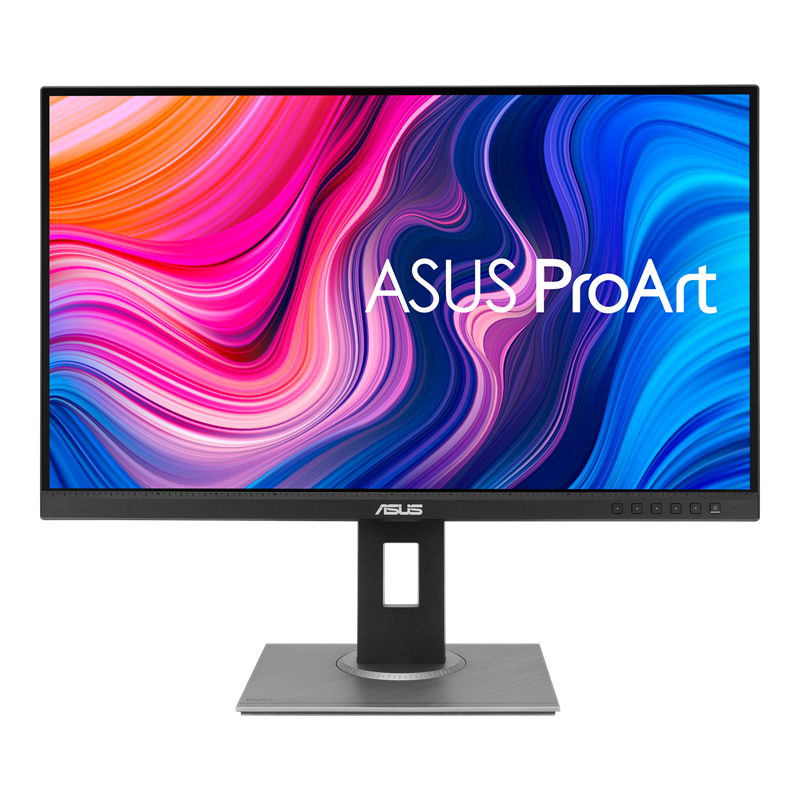
ASUS ProArt PA278QV 27 Inch WQHD IPS Professional Monitor – Outstanding Color Accuracy for Creative Professionals
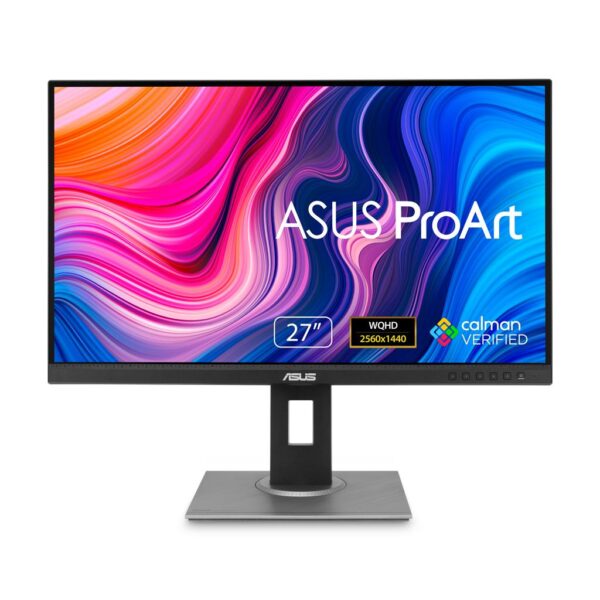
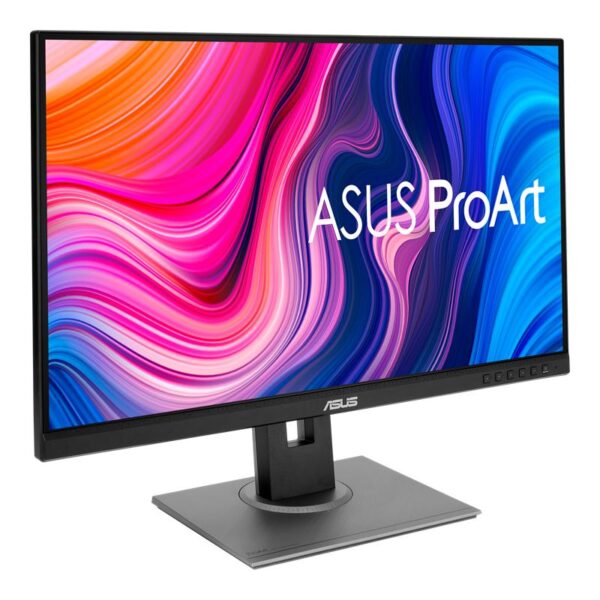
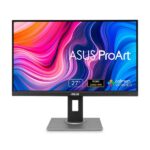
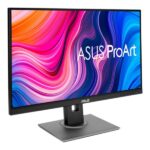
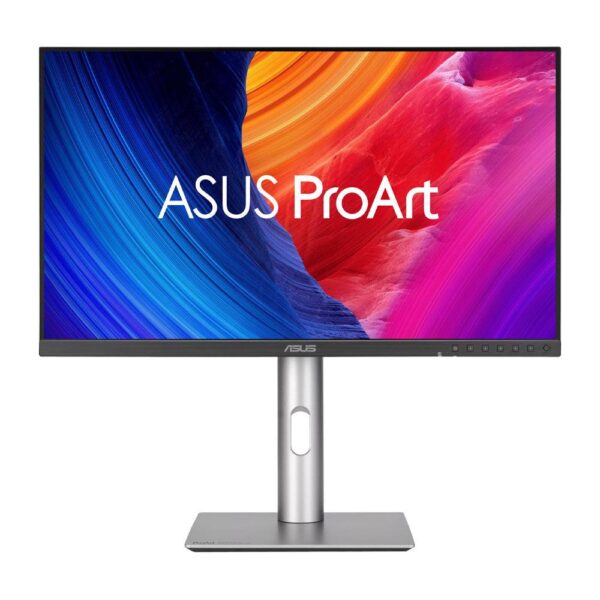
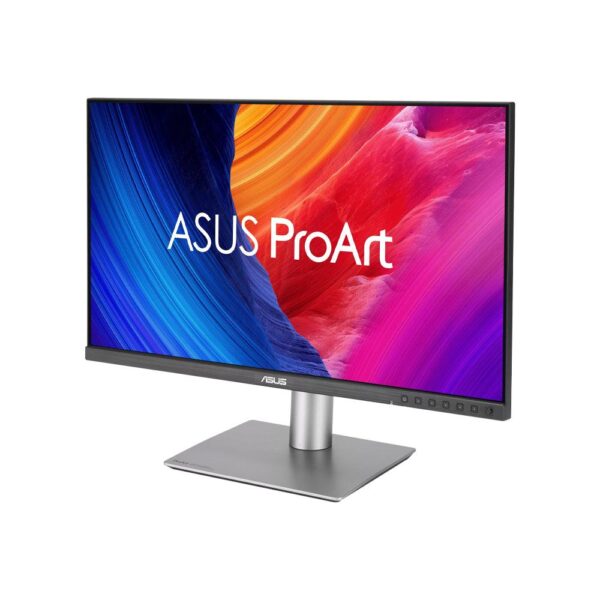
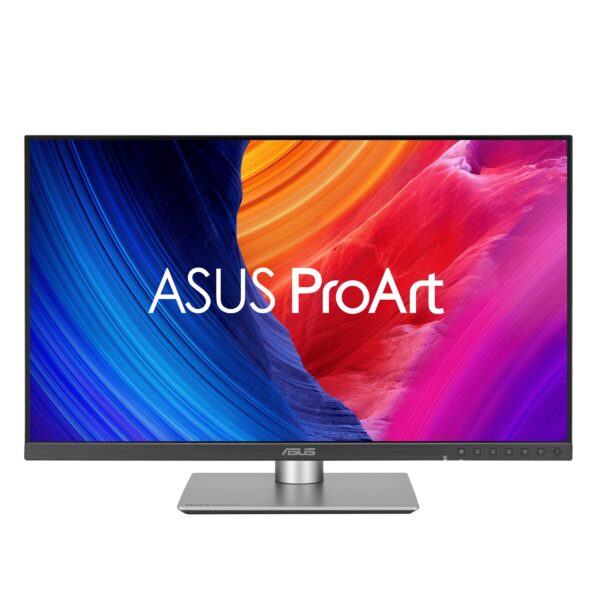
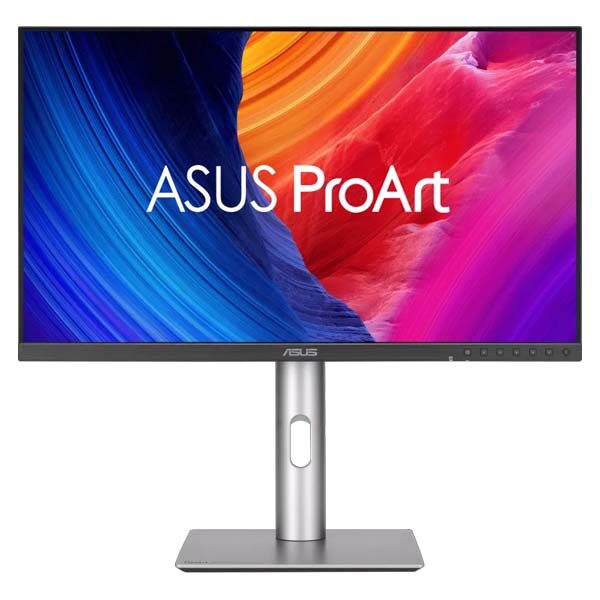
The ASUS ProArt PA278QV Monitor is a premium 27-inch professional display designed for photographers, graphic designers, video editors, digital artists, content creators, and business professionals who require accurate color reproduction and a comfortable working environment. Combining WQHD resolution, IPS panel technology, Calman Verified factory calibration, and an ergonomic stand, the ASUS ProArt Display PA278QV offers a dependable platform for demanding creative tasks.
Featuring a spacious 2560 × 1440 display, this professional ASUS monitor provides detailed visuals and ample workspace for image editing, digital artwork, video production, and multitasking. Its wide viewing angles help maintain consistent image presentation when working alone or collaborating with colleagues.
The ASUS ProArt PA278QV is designed around industry-standard color reproduction. With 100% sRGB and 100% Rec.709 coverage, it supports digital photography, web design, video production, and other color-sensitive applications.
Every monitor is factory calibrated to achieve Delta E below 2 color accuracy under specified testing conditions. Calman Verification further supports the ProArt series’ focus on accurate color presentation.
ASUS also provides specialized creative tools such as ProArt Preset, ProArt Palette, QuickFit Virtual Scale, and ProArt Chroma Tune. These technologies offer additional control over image settings, display profiles, and creative workflows.
A 75Hz refresh rate, Adaptive-Sync, versatile video inputs, integrated USB hub, and fully adjustable ergonomic stand make the PA278QV suitable for a broad range of professional environments.
Whether you are editing product photographs, designing marketing graphics, preparing video content, or upgrading a professional desktop workstation, the ASUS ProArt PA278QV 27 Inch WQHD IPS Professional Monitor brings together color accuracy, productivity, and practical display functionality.
ASUS ProArt PA278QV Monitor – Designed for Precision and Creativity
Creative professionals often rely on their monitors to make important visual decisions.
A photographer needs to evaluate exposure, contrast, and color balance accurately. A designer must maintain consistency across graphics and branding materials. A video editor needs dependable image reproduction when evaluating footage.
The ASUS ProArt PA278QV is designed to support these tasks through factory-calibrated color accuracy and professional image controls.
Its 27-inch IPS panel provides a practical balance between screen size and desk space. Users can keep detailed visual material visible alongside the tools required for editing and review.
For professionals who regularly switch between creative and administrative work, the monitor also serves as a versatile productivity display.
The WQHD resolution provides additional workspace compared with a traditional Full HD screen, while the ergonomic stand allows convenient positioning.
The monitor’s understated appearance makes it suitable for design studios, photography workspaces, offices, educational institutions, and home-based creative environments.
By combining color-focused engineering with practical desktop features, the PA278QV offers a professional viewing experience without requiring an oversized display.
WQHD Resolution for Detailed Professional Work
The ASUS ProArt PA278QV features WQHD resolution, providing a detailed digital workspace for modern creative applications.
Professional editing software often contains numerous panels and tools that compete for available screen space.
Photo editing applications may display histograms, layers, image adjustments, and asset libraries.
Video editing software may contain multiple tracks, a preview window, effects controls, and media browsers.
A WQHD screen provides additional room for arranging these elements compared with a conventional Full HD monitor.
The PA278QV allows professionals to maintain a useful view of their content while keeping important controls accessible.
Its resolution is also suitable for everyday office tasks, including spreadsheets, document preparation, presentations, and multitasking.
Users can display two application windows side by side, depending on their preferred scaling and window dimensions.
For those upgrading from lower-resolution displays, the extra workspace may reduce the need to switch windows frequently.
WQHD is not equivalent to 4K, but it provides a practical combination of detail and hardware compatibility for many professional workflows.
IPS Panel Technology with Wide Viewing Angles
The ASUS ProArt PA278QV Monitor uses IPS panel technology, providing broad viewing angles and consistent visual presentation.
IPS displays are particularly popular in professional creative environments because colors generally remain more stable when viewed from different positions.
This is important when a designer shares work with colleagues or when a photographer reviews images with a client.
An image should remain reasonably consistent even when the viewer is not positioned directly in front of the screen.
The monitor’s wide viewing angles support this requirement.
IPS technology also provides a suitable foundation for accurate color reproduction when combined with proper calibration and color management.
The PA278QV includes an anti-glare screen treatment that helps minimize reflections from surrounding lights.
This is particularly useful in studios and offices with windows, overhead lighting, or other reflective surfaces.
By reducing distractions and maintaining visual consistency, the IPS panel contributes to a productive creative environment.
Professionals can concentrate on composition, color, and visual detail rather than constantly adjusting their viewing position.
100% sRGB Coverage for Accurate Digital Graphics
Color gamut coverage is one of the most important features of the ASUS ProArt PA278QV.
The monitor offers complete coverage of the sRGB color space, widely used for digital photography, web graphics, social media content, and many online applications.
For graphic designers, sRGB provides a common reference for preparing digital artwork intended for standard displays.
Photographers also frequently use sRGB when exporting images for online portfolios, websites, and digital publishing.
A monitor capable of reproducing this color space accurately helps creators make more dependable editing decisions.
The PA278QV combines sRGB coverage with factory calibration to support consistent image presentation.
Users can select the appropriate sRGB display mode through the monitor’s professional presets.
For product photography, e-commerce design, website graphics, and marketing material, this is particularly valuable.
However, accurate results still depend on the complete color workflow.
Image profiles, software settings, operating-system color management, and display calibration all influence the final appearance.
The PA278QV provides a strong hardware foundation for professionals working primarily with standard digital color spaces.
100% Rec.709 Color Coverage for Video Production
The ASUS ProArt PA278QV also supports full Rec.709 color-space coverage.
Rec.709 is widely used in conventional high-definition video production and standard-dynamic-range video workflows.
Video editors often need accurate color reproduction when adjusting footage, matching scenes, and reviewing final output.
A monitor with appropriate Rec.709 support can help maintain consistency during these operations.
The PA278QV includes a Rec.709 preset designed to support compatible editing workflows.
This is useful for professionals producing corporate videos, interviews, educational content, promotional footage, and online media.
Editors can evaluate footage using a display mode intended for a widely used video color standard.
Its WQHD resolution also provides room for editing timelines, media previews, and application panels.
For broadcast-critical mastering, specialized reference equipment and calibrated viewing conditions may still be necessary.
However, for mainstream professional video editing and content production, the ASUS ProArt PA278QV offers practical color-management features.
The combination of Rec.709 coverage, factory calibration, and professional presets makes it well suited to creative users who work with standard-dynamic-range video.
Calman Verified Factory Calibration for Reliable Colors
The ASUS ProArt PA278QV 27 Inch Professional Monitor is factory calibrated and Calman Verified.
Color consistency is essential in creative work because inaccurate displays can lead to incorrect editing decisions.
An image displayed with excessive saturation might cause a photographer to reduce color unnecessarily.
An incorrect white point could influence skin-tone adjustments or product photography.
Factory calibration helps establish dependable image characteristics before the monitor reaches the user.
ASUS specifies Delta E below 2 color accuracy for the PA278QV.
Calman Verification adds another element of validation to the monitor’s professional positioning.
The monitor also includes a factory calibration report.
This provides useful documentation for professionals who want greater confidence in their display’s initial color performance.
For everyday creative work, factory calibration can reduce the amount of initial adjustment required.
Nevertheless, color-sensitive professionals should periodically assess their monitor calibration according to their workflow requirements.
Display aging, selected settings, environmental lighting, and application color management may influence results.
The PA278QV offers a dependable starting point for accurate digital work.
Delta E Below 2 – Precision for Color-Sensitive Applications
The ASUS ProArt PA278QV is designed to achieve a color accuracy measurement of Delta E below 2 under ASUS’s specified calibration conditions.
Delta E represents the difference between intended colors and displayed colors.
Lower values generally indicate more accurate color reproduction.
For photographers, accurate colors are important when evaluating exposure, white balance, and subtle tonal adjustments.
Graphic designers rely on predictable reproduction when developing branding materials and advertising graphics.
Video editors may need to maintain consistent colors across different clips and scenes.
The PA278QV supports these activities through its calibrated IPS display and professional image settings.
Its sRGB and Rec.709 presets provide useful starting points for compatible workflows.
Users should understand that factory calibration does not guarantee identical results across every connected device.
Computer color profiles, graphics settings, viewing conditions, and applications can alter image appearance.
For highly controlled work, calibration measurement tools and appropriate software remain valuable.
The monitor’s professional color accuracy helps users make more confident visual decisions throughout the creative process.
ASUS ProArt Preset – Color Modes for Different Tasks
The ASUS ProArt PA278QV includes ProArt Preset technology, providing convenient display modes for different activities.
Creative professionals often move between applications with different visual requirements.
A photographer may need an sRGB-focused environment for editing digital photographs.
A video editor may prefer a Rec.709 preset for standard video work.
An office user may select a reading mode for reviewing documents.
ProArt Preset makes it possible to switch between supported configurations through the monitor’s on-screen interface.
Available options include Standard, sRGB, Rec.709, Scenery, Reading, Darkroom, Rapid Rendering, and user-adjustable modes.
These settings allow users to tailor display behavior to their preferred activity.
For creators who regularly work across multiple applications, this flexibility is useful.
A display preset should be chosen according to the intended output rather than simply selecting the most vibrant appearance.
For color-critical projects, users should ensure that the selected mode aligns with their working color space.
ProArt Preset provides an accessible foundation for maintaining suitable viewing settings.
ASUS ProArt Palette – Fine-Tune Your Display Colors
ASUS ProArt Palette provides additional adjustment options for professionals who need control over image characteristics.
The feature allows supported changes to color temperature, gamma, color balance, and other parameters.
The PA278QV includes six-axis color adjustment for red, green, blue, cyan, magenta, and yellow.
This gives users flexibility when fine-tuning selected color characteristics.
Photographers may want to align the display with a particular editing environment.
Graphic designers may need to evaluate how selected colors appear under different settings.
Video editors may use appropriate gamma adjustments for supported production workflows.
ProArt Palette makes these settings accessible through the monitor’s controls.
However, changing calibrated color settings can influence accuracy.
Users should avoid unnecessary adjustments when working with an established color-management profile.
Professionals who require strict calibration should use appropriate measuring equipment and document any changes.
For general creative work, ProArt Palette provides useful tools for personalizing display behavior.
ASUS QuickFit Virtual Scale for Accurate Layout Preview
The ASUS ProArt PA278QV includes QuickFit Virtual Scale technology.
This feature provides on-screen overlays intended to assist with layout alignment and document preview.
Graphic designers frequently need to evaluate the approximate size and placement of visual elements.
Photographers may work with images intended for specific print formats.
Office professionals may need to review document layouts before printing.
QuickFit allows compatible guides and grids to appear directly on the monitor.
These overlays can help users assess composition and approximate document sizing.
The feature is particularly useful for routine layout checks and visual alignment.
Actual real-size representation may depend on the selected screen settings and application scaling.
For precise print production, users should still verify physical output dimensions through their software and printing workflow.
QuickFit provides a convenient supplementary tool rather than replacing professional measurement functions.
Its inclusion reflects ASUS’s focus on practical features for design and creative production.
75Hz Refresh Rate for Smooth Everyday Operation
The ASUS ProArt PA278QV offers a maximum refresh rate of 75Hz.
Refresh rate refers to the number of times a display can update its image each second.
Compared with conventional 60Hz displays, 75Hz can provide somewhat smoother movement in supported situations.
This can improve the appearance of scrolling, cursor movement, and selected interface animations.
For everyday productivity, smoother motion contributes to a more responsive visual experience.
Creative professionals may notice the difference when navigating timelines, moving design elements, or switching between applications.
The higher refresh rate also adds flexibility for multimedia entertainment and casual gaming.
However, the PA278QV is designed primarily for color accuracy and professional productivity.
It should not be advertised as a high-refresh-rate competitive gaming monitor.
Users seeking 120Hz performance should consider a different model, such as the PA278QGV Gen2.
For the original PA278QV, the combination of 75Hz and professional color features provides a balanced everyday experience.
Adaptive-Sync Technology for Reduced Screen Tearing
The ASUS ProArt PA278QV supports Adaptive-Sync technology within its specified refresh-rate range.
During animation playback or gaming, the connected graphics processor may generate frames at a changing rate.
If the monitor and graphics processor are not synchronized appropriately, visible screen tearing can occur.
Adaptive-Sync allows compatible hardware to coordinate display refresh timing with incoming frames.
This can help reduce certain visual artifacts and improve motion smoothness.
The feature is useful for casual entertainment and supported animation-related applications.
For professionals who use one monitor for both creative work and general multimedia, it offers additional flexibility.
Adaptive-Sync performance depends on the graphics card, connection, drivers, and application.
The PA278QV is not intended to replace a specialist gaming monitor, but it provides a smoother experience than a fixed-refresh display in compatible scenarios.
Users should enable the appropriate synchronization options through their system settings.
Professional Photography and Photo Editing
The ASUS ProArt PA278QV is particularly suitable for photographers who work with digital images and require predictable color reproduction.
Photography editing involves many subtle decisions.
Adjustments to contrast, exposure, highlights, shadows, color balance, and saturation can significantly influence an image.
A color-accurate monitor helps photographers evaluate these changes more reliably.
The PA278QV’s factory-calibrated IPS panel provides a useful foundation for such work.
Its full sRGB coverage is particularly relevant to photographs prepared for websites, e-commerce platforms, and online portfolios.
The 27-inch display provides enough room for a detailed image preview and editing controls.
Users can work with photo libraries, adjustment panels, and other tools without requiring an excessively large desktop.
The anti-glare surface helps reduce distracting reflections.
For product photographers, portrait editors, and digital marketing teams, these characteristics make the monitor practical for everyday work.
Specialist print workflows requiring extensive Adobe RGB coverage should be evaluated separately, as the PA278QV does not advertise full Adobe RGB coverage.
Video Editing and Digital Content Creation
Video editors need a monitor that supports reliable color reproduction and practical application layouts.
The ASUS ProArt PA278QV provides both through its calibrated IPS panel and WQHD resolution.
Modern editing applications contain multiple interface elements that need to remain accessible.
Timelines, preview windows, effects panels, and media libraries can occupy substantial screen space.
The PA278QV allows editors to arrange these tools within a comfortable workspace.
Its Rec.709 coverage is particularly useful for conventional video production.
Factory calibration helps establish predictable color behavior when the monitor is configured appropriately.
The 75Hz refresh rate also provides smooth everyday interface movement.
Users producing training videos, product demonstrations, promotional content, social media videos, and corporate presentations may find the display well suited to their requirements.
For specialized HDR grading or demanding color-mastering applications, additional reference-monitoring equipment may be required.
The PA278QV is best considered a color-accurate SDR creative monitor rather than a dedicated professional HDR mastering display.
Graphic Design, Branding and Digital Artwork
Graphic designers frequently work on projects requiring accurate colors, clear text, and detailed visual layouts.
The ASUS ProArt PA278QV supports these needs through its IPS technology and professional color calibration.
Designers can create logos, website assets, social media graphics, product banners, illustrations, and presentation materials.
Its full sRGB coverage aligns with many digital design requirements.
The WQHD resolution provides room for a project canvas alongside tool panels and reference images.
Wide viewing angles are useful when sharing visual work with colleagues or clients.
ProArt Preset and Palette offer flexibility when managing display settings.
QuickFit Virtual Scale adds convenience for certain layout-related tasks.
The monitor’s ergonomic adjustments also support comfortable working positions during extended projects.
For advertising agencies, digital marketing teams, freelance designers, and educational design environments, the PA278QV offers a practical combination of visual precision and desktop functionality.
Digital Illustration and Creative Applications
Digital artists require a display that presents line work, shading, textures, and colors clearly.
The ASUS ProArt PA278QV provides a detailed working environment for compatible illustration and creative applications.
Its WQHD panel offers enough screen space for many drawing and painting workflows.
The IPS display supports consistent image presentation across wide viewing angles.
Artists working with digital illustrations can keep important tools and color controls visible around the artwork.
The monitor’s sRGB coverage is especially useful when preparing graphics for digital publishing.
For applications involving graphic tablets, the PA278QV can function as a conventional external monitor paired with compatible input devices.
It is not itself a pen-enabled drawing display.
Users should choose an appropriate graphics tablet if direct digital drawing input is required.
For illustrators and creators working across multiple desktop applications, the PA278QV provides a reliable visual foundation.
Multi-Input Connectivity for Creative Workstations
The ASUS ProArt PA278QV features several video input options designed to support different desktop configurations.
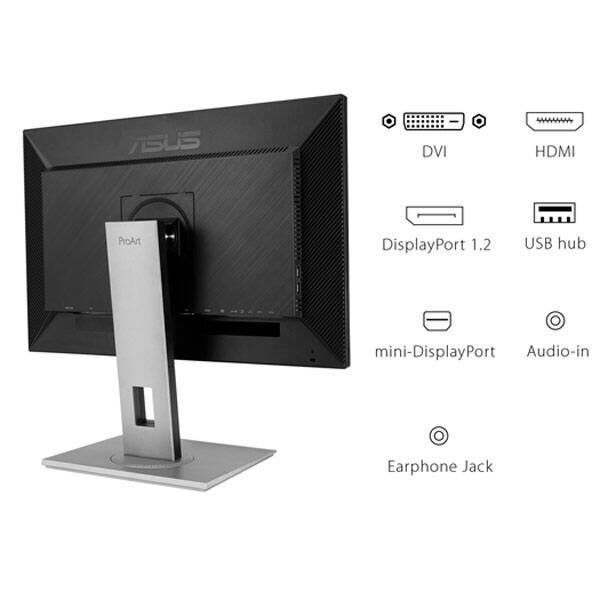
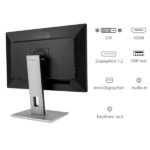
Its DisplayPort, Mini DisplayPort, HDMI, and Dual-Link DVI-D connections allow compatibility with a range of suitable graphics hardware.
This is particularly useful in environments where newer and older computers may be used together.
A professional studio may operate a desktop workstation with DisplayPort connectivity.
Another computer might rely on HDMI.
Older compatible systems may use DVI-D.
Having multiple input options can reduce the need for separate conversion adapters in some setups.
Users should still confirm the maximum supported resolution and refresh rate for each source and connection.
Appropriate display cables are important for reliable signal transmission.
The PA278QV also supports compatible Mac computers through suitable video connections.
Its connection flexibility makes it practical for offices, studios, educational institutions, and mixed-device workspaces.
Built-In USB Hub for Better Desk Organization
The ASUS ProArt PA278QV includes a USB hub with four downstream Type-A ports.
A monitor-integrated hub can simplify everyday desktop connectivity.
Users may connect suitable USB peripherals without repeatedly reaching behind their computer tower.
Compatible keyboards, mice, storage devices, and other USB equipment can be organized more conveniently.
This is particularly valuable in professional environments where several peripherals are used throughout the day.
The USB hub requires an upstream USB connection to the host computer.
It should not be confused with USB-C video input or laptop charging.
The PA278QV does not provide USB-C Power Delivery.
Users who require single-cable USB-C docking should select a model specifically supporting that feature.
For traditional desktop workstations, the USB hub provides convenient access to peripheral connections and helps maintain a cleaner workspace.
Integrated Speakers and Audio Connectivity
The ASUS ProArt PA278QV includes integrated stereo speakers and audio connections.
Built-in speakers provide convenient audio playback for routine activities.
These may include online meetings, presentations, educational videos, and basic multimedia review.
For professionals who primarily work with visual content, integrated audio can reduce the need for additional desktop accessories.
The monitor also includes a PC audio input and earphone output.
These options offer flexibility for different connection arrangements.
However, professional audio editing and sound mastering require appropriate dedicated audio equipment.
Integrated monitor speakers are intended for convenience rather than critical sound evaluation.
For general office use and quick video previews, the PA278QV provides useful everyday audio functionality.
Ergonomic Stand with Flexible Adjustments
Professional users often spend long hours working in front of their monitors.
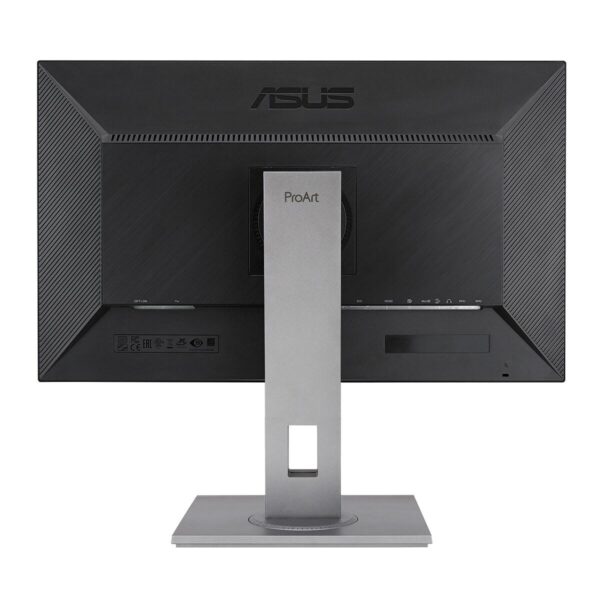
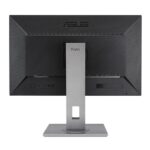
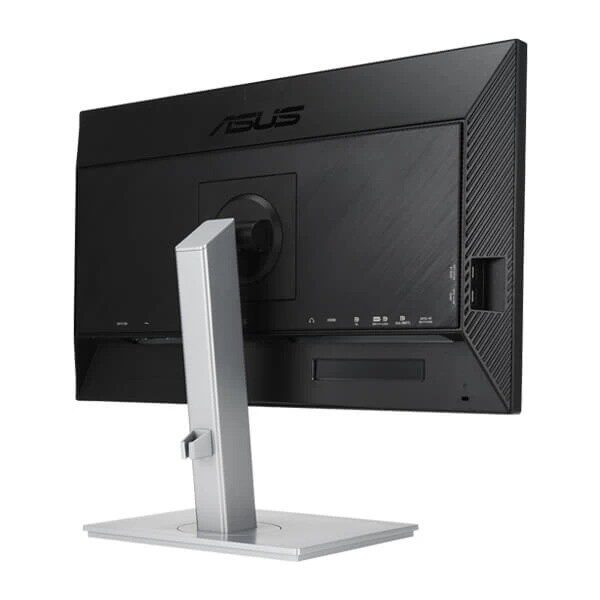
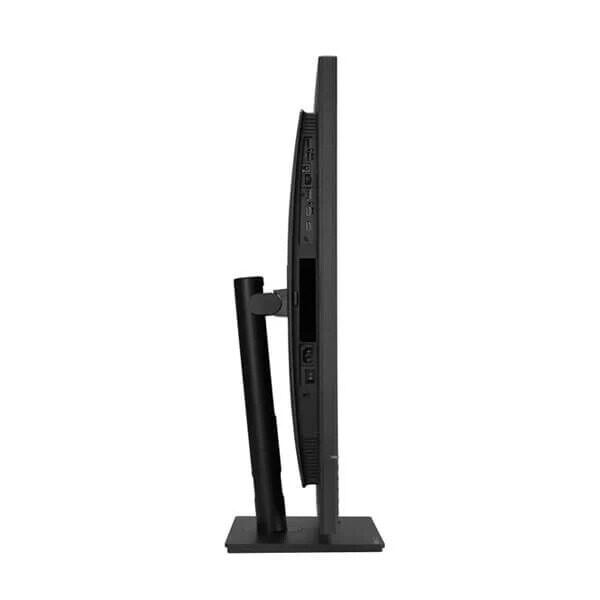
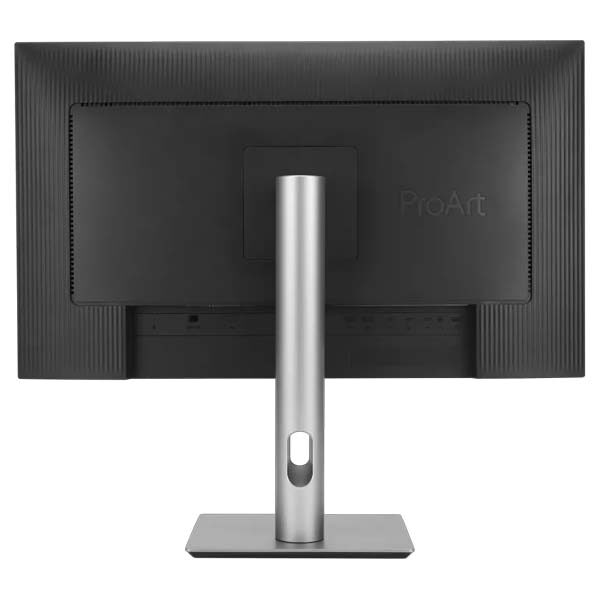
The ASUS ProArt PA278QV includes an ergonomic stand that supports height, tilt, swivel, and pivot adjustments.
These features allow users to position the display according to their desk and seating arrangement.
Height adjustment helps align the screen with the preferred viewing position.
Tilt provides flexibility when changing the vertical viewing angle.
Swivel allows users to turn the screen without repositioning the entire stand.
Pivot enables portrait orientation when appropriate.
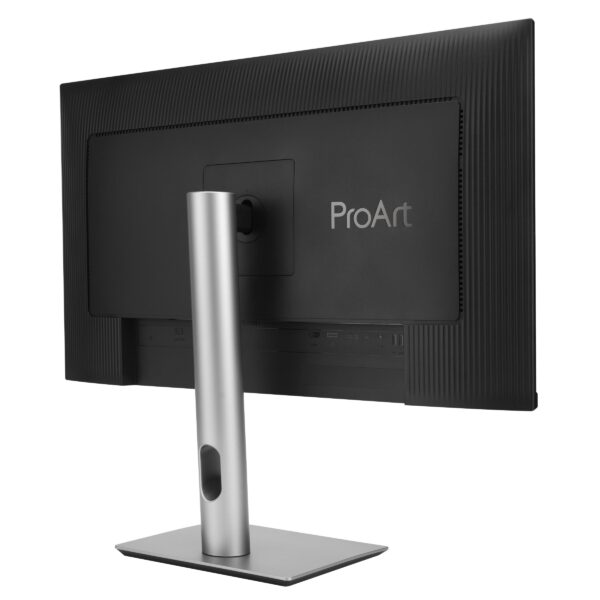
The PA278QV also supports VESA mounting for compatible monitor arms and wall-mount systems.
This gives users flexibility when planning professional workspaces.
A properly positioned monitor can make extended sessions more comfortable.
The adjustable stand is especially useful for designers, editors, office professionals, and users who regularly change their working posture.
Portrait Mode for Documents and Vertical Content
Portrait orientation is useful for workflows that require more vertical viewing space.
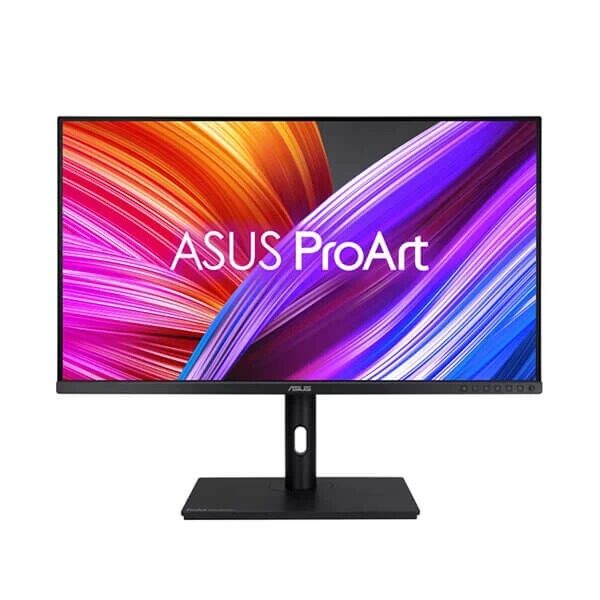
The ASUS ProArt PA278QV supports portrait rotation through its ergonomic stand.
Web designers can use portrait mode to review longer page layouts.
Programmers may appreciate additional vertical space for code.
Office users can display long documents with less scrolling.
Artists may work more comfortably on vertically oriented illustrations.
The monitor’s viewing orientation can be adjusted through the connected computer’s display settings.
Portrait mode makes the PA278QV more flexible than a display with a fixed landscape orientation.
Users can also combine the monitor with another display to create a mixed landscape-and-portrait workspace.
This arrangement may be useful for professionals who regularly work with reference material alongside creative applications.
The pivot feature provides additional versatility without requiring a separate specialized monitor.
ASUS Eye Care with Low Blue Light Technology
The ASUS ProArt PA278QV includes TÜV-certified low blue light technology.
Extended screen use can become uncomfortable when brightness and viewing conditions are not appropriate.
Low blue light settings allow users to reduce selected blue-light emissions.
These modes can be helpful during document review, reading, and general productivity tasks.
The monitor offers several display configurations to accommodate different activities.
However, lowering blue-light output can alter the appearance of colors.
Photographers and designers performing color-sensitive work should use the appropriate calibrated preset rather than a comfort-oriented mode that changes color temperature.
Viewing comfort also depends on room lighting, display brightness, screen distance, and regular breaks.
The PA278QV provides useful settings that allow users to adapt the monitor for different situations.
Flicker-Free Technology for Everyday Comfort
ASUS Flicker-Free technology is another feature intended to improve the viewing experience.
Some display backlight-control methods can introduce flicker under certain operating conditions.
Flicker-free technology is designed to reduce such behavior.
For users spending long periods working with documents, images, or design software, display comfort matters.
The PA278QV combines flicker-free technology with its ergonomic stand and low blue light options.
These features support a flexible desktop environment.
They do not eliminate every cause of visual fatigue, but they provide additional ways to configure the display.
Users should maintain suitable brightness settings and working conditions.
For professionals who regularly switch between color-sensitive editing and general office tasks, the PA278QV provides practical viewing options.
Professional Productivity and Business Applications
Although designed for creative work, the ASUS ProArt PA278QV is also suitable for everyday professional productivity.
Its 27-inch WQHD display provides room for documents, spreadsheets, browser windows, presentations, and communication applications.
Users can arrange several windows within the available screen area.
The IPS panel supports consistent viewing, while the anti-glare treatment helps reduce reflections in typical office environments.
The adjustable stand makes the monitor suitable for different desk configurations.
Business professionals who occasionally work with graphics or presentations may particularly appreciate its calibrated display.
For example, marketing teams can create and review digital advertising content while managing business applications.
E-commerce teams can work with product photographs, inventory information, and listing tools.
Architectural and technical users may also use the display for general visual review and productivity.
The PA278QV provides a balanced professional monitor for users whose work extends beyond a single application.
ASUS ProArt Chroma Tune for Creative Color Workflows
The ASUS ProArt PA278QV supports ProArt Chroma Tune, a software utility associated with ASUS ProArt display management.
It allows supported adjustments and control of selected monitor color settings through a compatible computer.
For users who regularly switch between creative applications, software-based display controls can be convenient.
Different workflows may require different display profiles.
A designer may choose an sRGB-oriented configuration for web graphics.
A video editor may select settings appropriate for Rec.709 content.
A professional preparing documents may prefer a more general viewing mode.
ProArt Chroma Tune provides another way to interact with supported display settings.
Software features and operating-system compatibility should be verified against the available version.
The utility complements the monitor’s built-in ProArt Preset and Palette controls.
Why Choose the ASUS ProArt PA278QV Professional Monitor?
The ASUS ProArt PA278QV Monitor offers a useful combination of professional color performance and practical workstation features.
Its main strengths include a 27-inch IPS panel, WQHD resolution, full sRGB and Rec.709 coverage, factory calibration, and Calman Verification.
Delta E below 2 color accuracy helps establish dependable reproduction for suitable creative workflows.
ProArt Preset and Palette provide adjustable image controls, while QuickFit Virtual Scale supports selected layout tasks.
The 75Hz refresh rate and Adaptive-Sync functionality add versatility for everyday motion and multimedia.
Multiple video inputs improve compatibility with suitable computer systems.
The four-port USB hub provides convenient peripheral connectivity.
A fully adjustable ergonomic stand and TÜV-certified eye-care features support daily use.
For photographers, graphic designers, video editors, and office professionals, the PA278QV offers a balanced approach to professional display technology.
Users requiring 4K resolution, extensive Adobe RGB coverage, USB-C laptop charging, or 120Hz refresh rates should consider other models designed for those requirements.
Buy ASUS ProArt PA278QV 27 Inch WQHD Monitor in India
If you are searching for a professional monitor with accurate colors, a spacious workspace, and versatile connectivity, the ASUS ProArt PA278QV 27 Inch WQHD IPS Professional Monitor is a strong option for consideration.
Designed for photography, digital design, video editing, and everyday professional productivity, this display brings together factory-calibrated color reproduction and practical desktop functionality.
Its 100% sRGB and Rec.709 coverage makes it particularly suitable for creators working with standard digital content.
The ergonomic design, multiple input connections, integrated USB hub, and professional color tools contribute to a convenient workstation experience.
At Aadinath Peripherals & Consumables, Mumbai, customers can enquire about ASUS ProArt monitors, professional displays, workstations, graphics cards, and compatible computer accessories.
For complete manufacturer information, visit the official ASUS ProArt Display PA278QV product page.
You can also review the ASUS PA278QV technical specifications before selecting a compatible computer or workstation configuration.
Choose the ASUS ProArt PA278QV Monitor for accurate professional colors, detailed WQHD visuals, flexible connectivity, and comfortable everyday creative productivity.


Technical specifications
Display and image specifications
| Specification | Details |
|---|---|
| Brand | ASUS |
| Product Series | ProArt |
| Model | PA278QV |
| Display Size | 27 inches |
| Panel Technology | IPS |
| Native Resolution | 2560 × 1440 WQHD |
| Aspect Ratio | 16:9 |
| Backlight Type | LED |
| Screen Surface | Anti-Glare |
| Pixel Density | 109 PPI |
| Pixel Pitch | 0.233 mm |
| Active Display Area | 596.74 × 335.66 mm |
| Viewing Angle | 178° Horizontal / Vertical |
| sRGB Coverage | 100% |
| Rec.709 Coverage | 100% |
| Color Accuracy | Delta E < 2 |
| Factory Calibration | Yes |
| Calman Verified | Yes |
| Display Colors | 16.7 Million |
| Typical Brightness | 350 cd/m² |
| Typical Contrast Ratio | 1000:1 |
| Maximum Refresh Rate | 75Hz |
| Response Time | 5ms GTG |
| Adaptive-Sync | Yes, 48–75Hz |
| Flicker-Free | Yes |
| HDR10 | Not specified / not advertised |
Connectivity and professional features
| Specification | Details |
|---|---|
| DisplayPort | 1 × DisplayPort 1.2 |
| Mini DisplayPort | 1 |
| HDMI | 1 × HDMI 1.4 |
| DVI | 1 × Dual-Link DVI-D |
| USB Downstream | 4 × USB 3.2 Gen 1 Type-A |
| USB Upstream | USB Type-B connection for hub |
| PC Audio Input | Yes |
| Earphone Output | Yes |
| Built-in Speakers | 2 × 2W |
| USB-C Display Input | No |
| Thunderbolt | No |
| USB-C Power Delivery | No |
| ProArt Preset | Yes |
| ProArt Palette | Yes |
| Six-Axis Color Adjustment | Yes |
| Gamma Settings | 1.8 / 2.0 / 2.2 / 2.4 / 2.6 |
| Color Temperature | Four preset options |
| QuickFit | Yes |
| ASUS ProArt Chroma Tune | Yes |
| Adaptive-Sync | Yes |
| Motion Sync | Yes |
| HDCP | Yes |
| Low Blue Light | Yes |
| Flicker-Free Technology | Yes |
Ergonomics, dimensions and power
| Specification | Details |
|---|---|
| Height Adjustment | 0–150 mm |
| Tilt | -5° to +35° |
| Swivel | -90° to +90° |
| Pivot | -90° to +90° |
| VESA Wall Mount | 100 × 100 mm |
| Kensington Lock | Yes |
| Dimensions with Stand | 615 × 532 × 226 mm |
| Dimensions without Stand | 615 × 372 × 51 mm |
| Net Weight | 7.56 kg |
| Weight without Stand | 4.83 kg |
| Gross Weight | 10.74 kg |
| Power Consumption | 12.5W (ASUS-listed) |
| Power Saving Mode | Below 0.5W |
| Power Off (Hard Switch) | 0W |
| Input Voltage | 100–240V AC, 50/60Hz |
| ASUS Zero Bright Dot Warranty | 3 Years, as specified |
| Certifications | Calman Verified, TÜV Low Blue Light, TÜV Flicker-Free |
| Mac Compliance | Listed by ASUS |
| Box Accessories | Power Cord, HDMI Cable, Dual-Link DVI Cable, DisplayPort-to-MiniDP Cable, USB Type-B to A Cable, Audio Cable, Calibration Report, Documentation; region-dependent |
| Weight | 11 kg |
|---|---|
| Brand | ASUS |
| Resolution | 2560 x 1440 |
| Screen-Size | 27″ |
| Display-Type | QHD |
| EAN / UPC Code | 4718017603614 |
| Product Type | Professional |
| Display-Panel | IPS |
You may also like

Reviews
There are no reviews yet.